Hale

My Fitbit, explained kindly. I designed it because the official app stopped making sense to me

iOS app, made for my own use
26 screens · Fitbit Air · November 2026

I wear a Fitbit Air day and night. The hardest part of tracking my health had become opening the app that came with it. So I designed the one I actually want to open.

What

An iOS companion for my Fitbit Air. Same data, shown calmly

Who it’s for

Me. One band, MMA and strength training, and a sleep schedule that needs watching

My role

Research, information architecture, the visual system and every screen

Status

Personal project, designed and prototyped for my own phone

Why I made it

In May 2026 Google retired the Fitbit app and moved everyone to Google Health. I gave it a fair go. It’s busy, it’s slow, and the numbers I used to check at a glance now sit a few taps deep, under AI summaries I never asked for.

It isn’t just me. Reviewers called it “unbelievably bad”, and long-time Fitbit people kept saying what I was thinking: the data is fine, the app just makes it hard to reach.

I don’t need a coach shouting at me. I want two answers every morning: how hard can I go today, and did last night actually help? Hale answers those first and everything else after.
The rules I gave myself

  • Every screen gets one number, one sentence, one chart and one next step. Nothing else.
  • Home changes with the clock: a briefing in the morning, the day as cards in the evening, and a dark screen about sleep after 22:00.
  • Every number is compared to my own normal, not an average person’s.
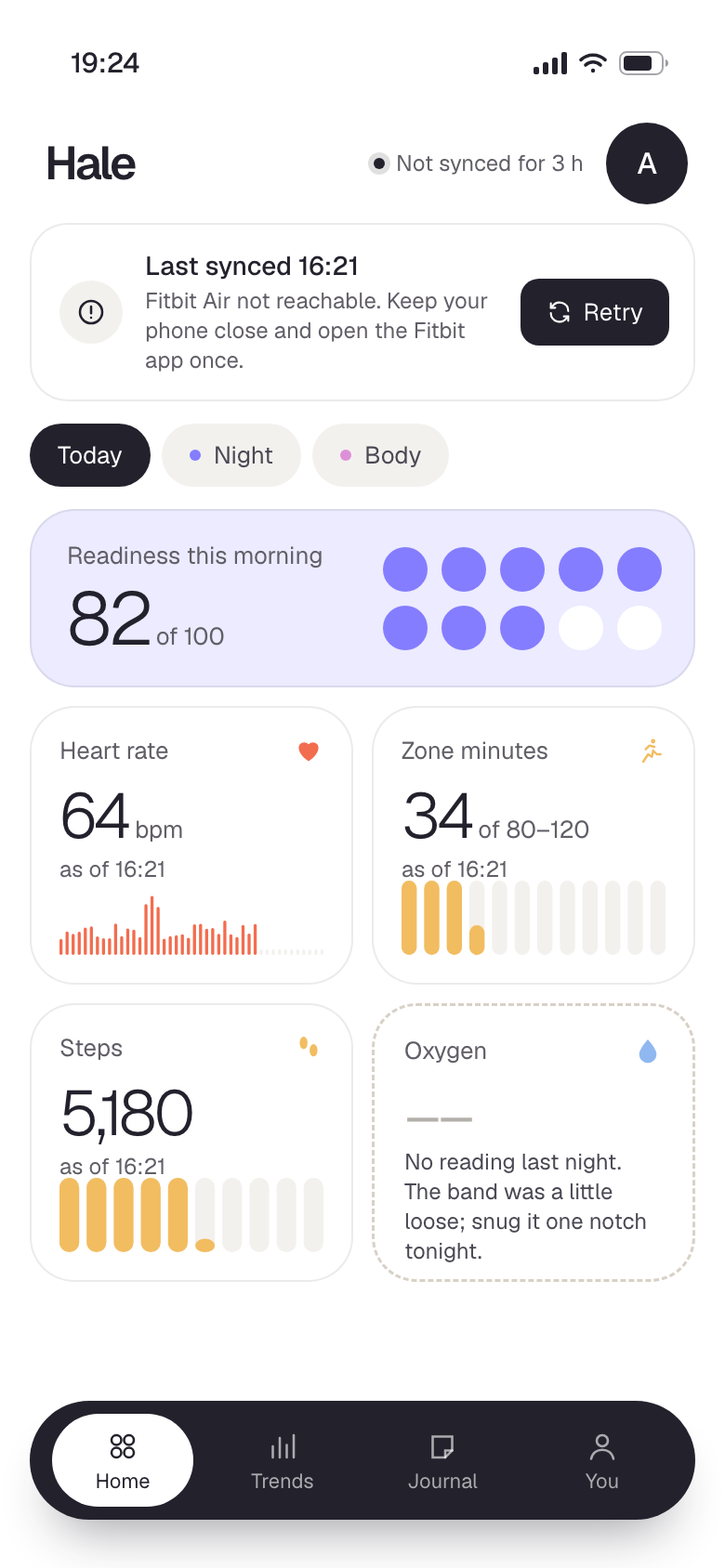
  • It says where each number comes from, and when the band hasn’t synced, it tells me straight instead of passing off old data as new.
  • Read-only. It never writes anything back to my Fitbit data.

Why these colours

Health apps love red, yellow and green. I think that’s the problem. Green says good, red says bad, and suddenly your resting heart rate is a report card.

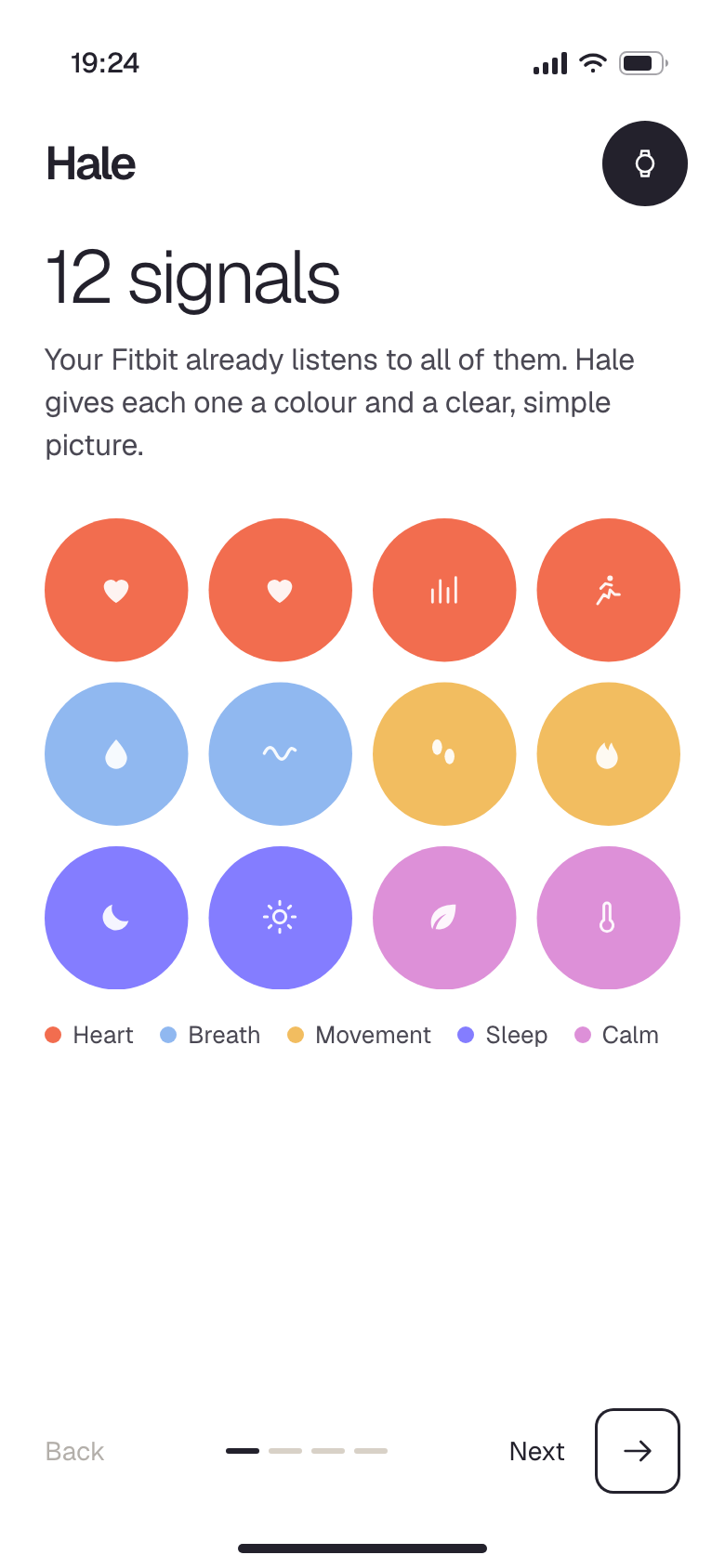
In Hale a colour means a kind of data, never a verdict. Coral is always heart. Marigold is always movement. Iris is sleep and recovery, periwinkle is oxygen and breathing, orchid is calm and body. Learn it once and you can read any screen from across the room.

Status is never a colour, so a rough night doesn’t look like an alarm. Ticks, words and icons do that job. Everything else is one dark ink on a plain white canvas, so the only colour on screen is my data.

Heart#F26D4F
Movement#F2BD60
Oxygen & breath#90B8F0
Sleep & recovery#847DFF
Calm & body#DD90D8
Ink#23212C

Getting set up

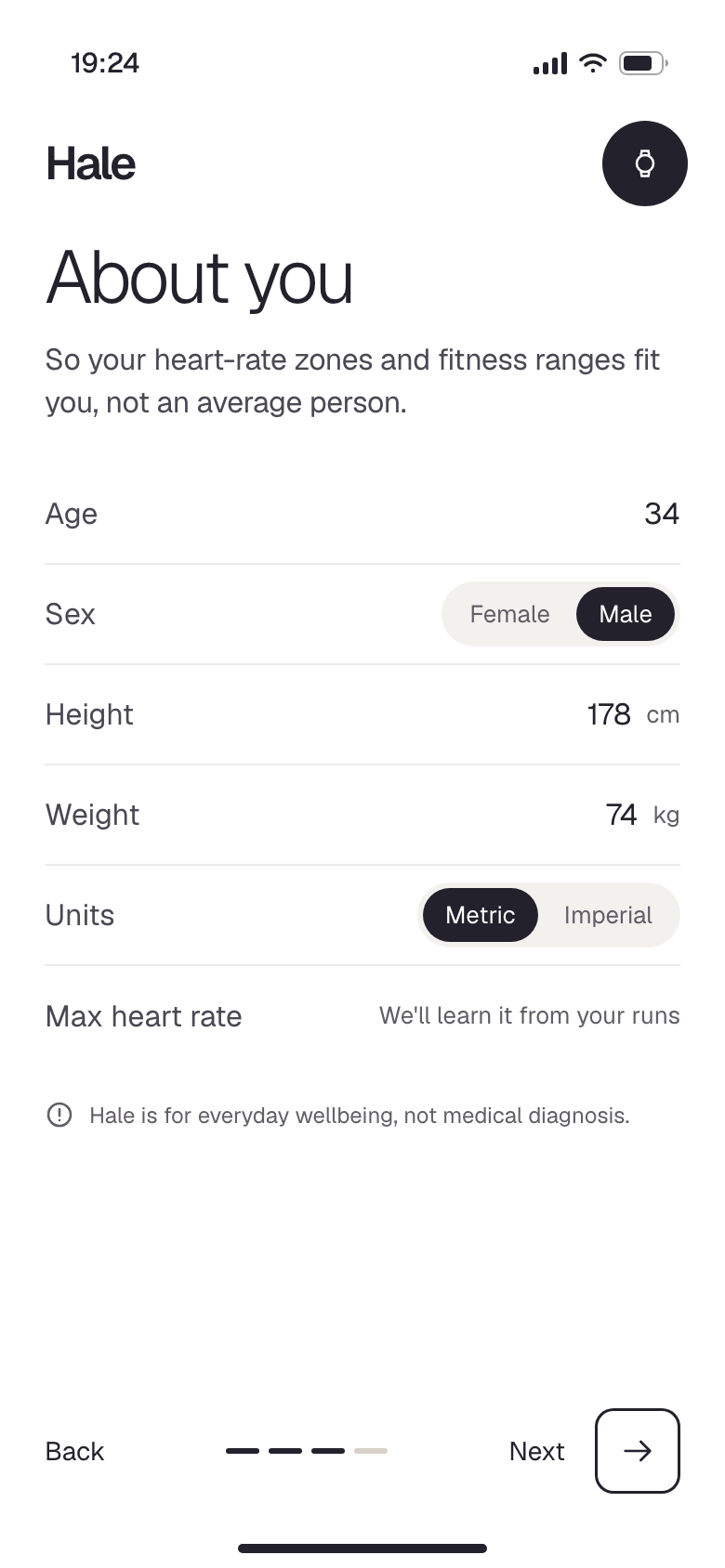
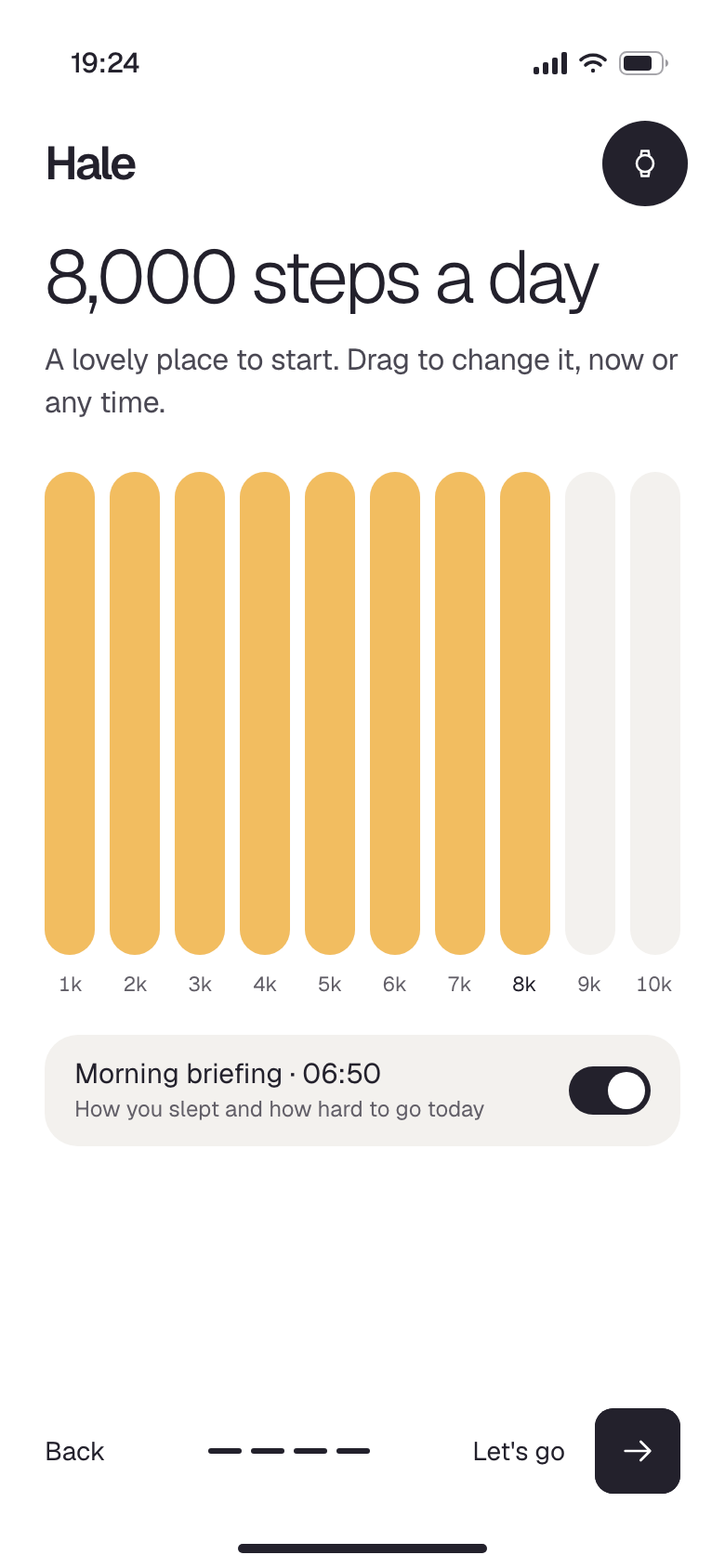
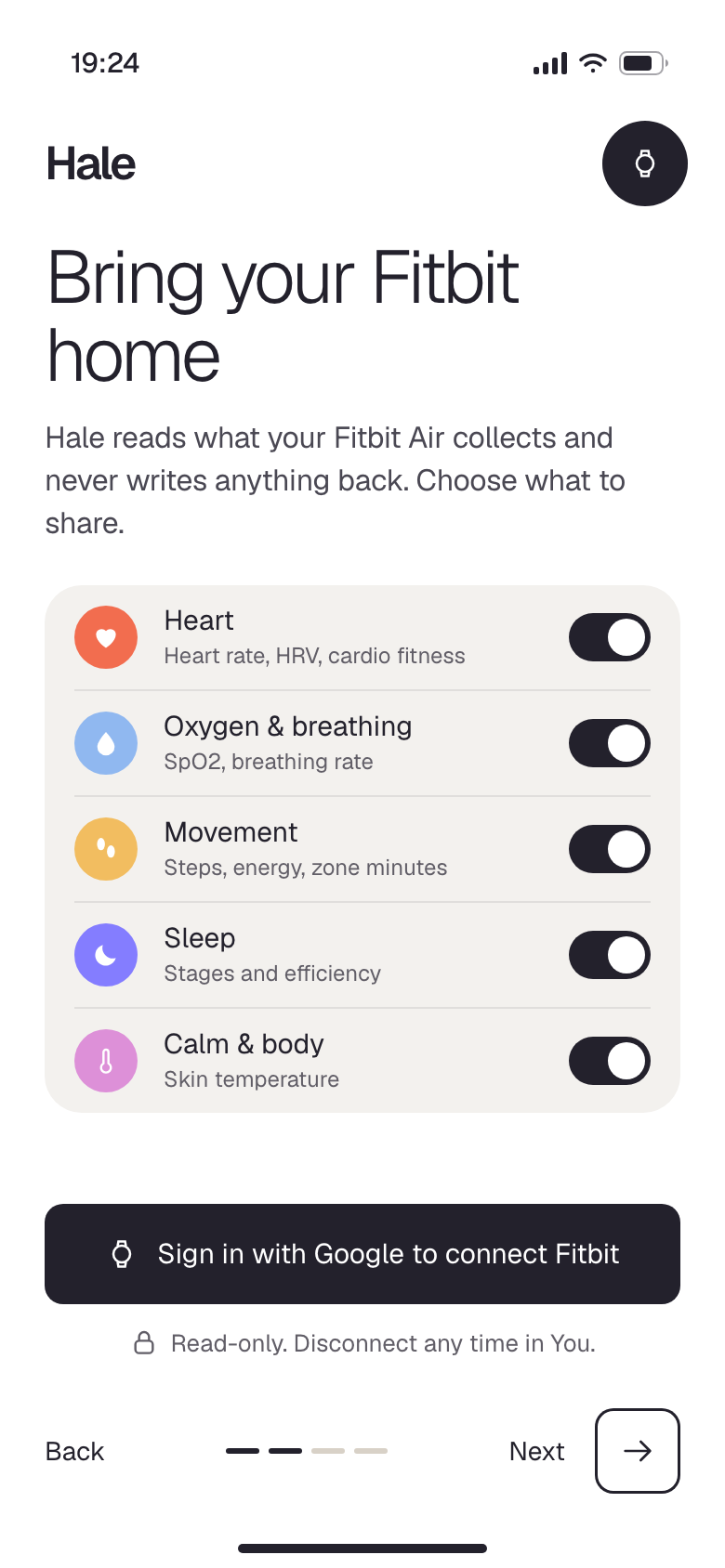
Four steps and I’m in. It shows me the colour key first, signs in with Google to read my Fitbit data, asks a few things so heart-rate zones fit my body, and sets a step goal I’ll actually hit.

Hale: Twelve signals
01 · Twelve signals
The colour key, before anything else
Hale: Bring it home
02 · Bring it home
Google sign-in, I choose what to share
Hale: About me
03 · About me
So zones fit me, not an average person
Hale: A gentle goal
04 · A gentle goal
Steps, plus the morning briefing

My day

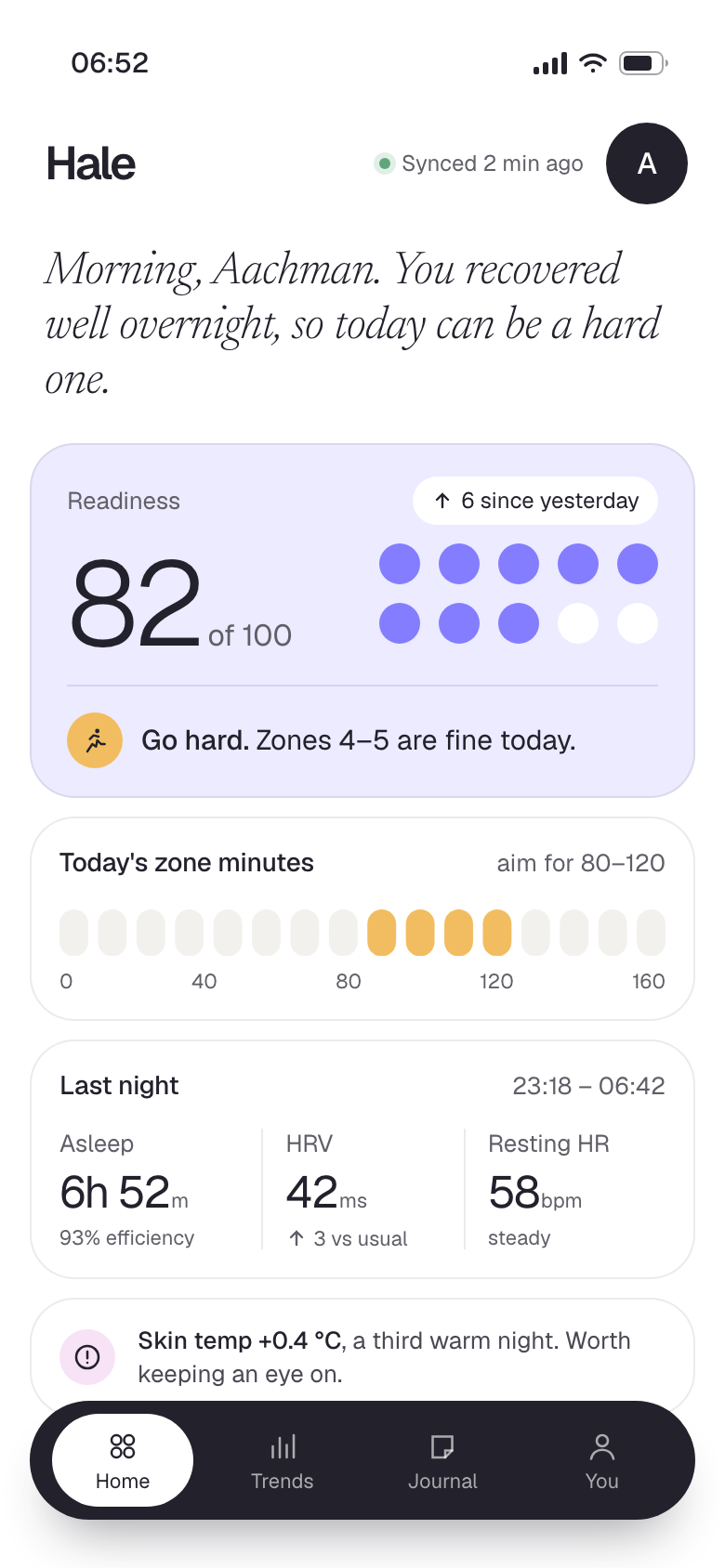
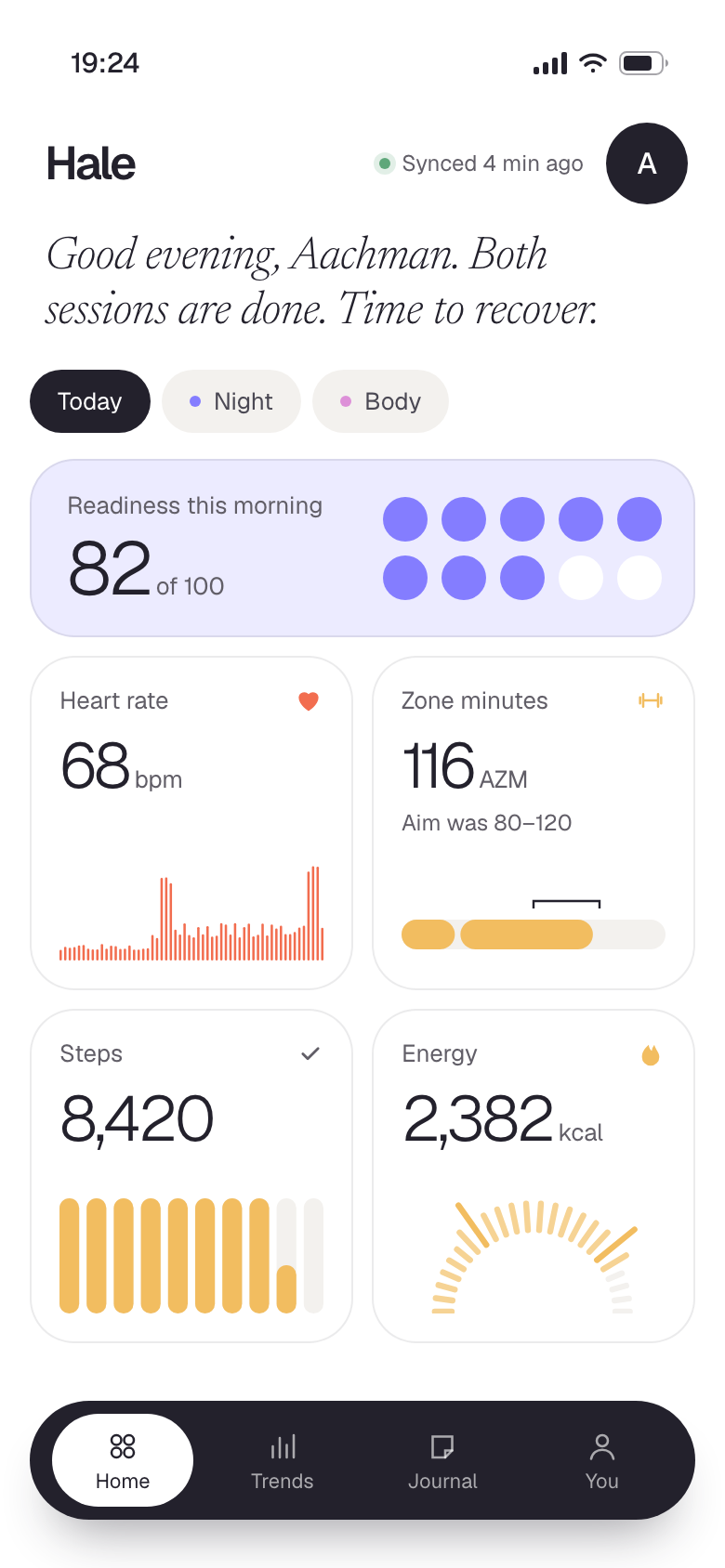
Home changes with the clock. At 06:52, before training, it answers one question: how hard can I go? By the evening it’s a grid of what I did. After 22:00 it goes dark and only talks about sleep.

Hale: Morning briefing
05 · Morning briefing
06:52, before training
Hale: Today
06 · Today
Evening, two sessions done
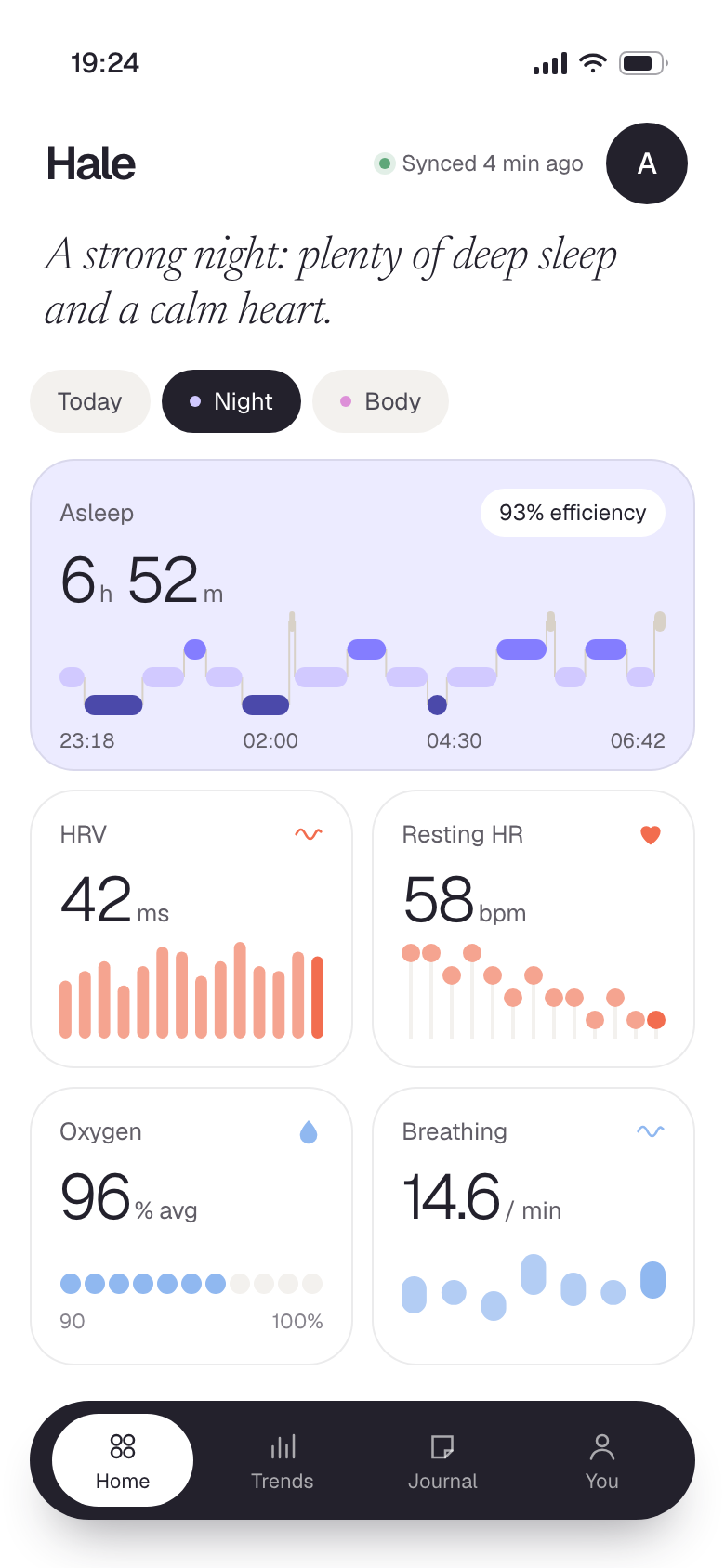
Hale: Last night
07 · Last night
Sleep, heart and breath
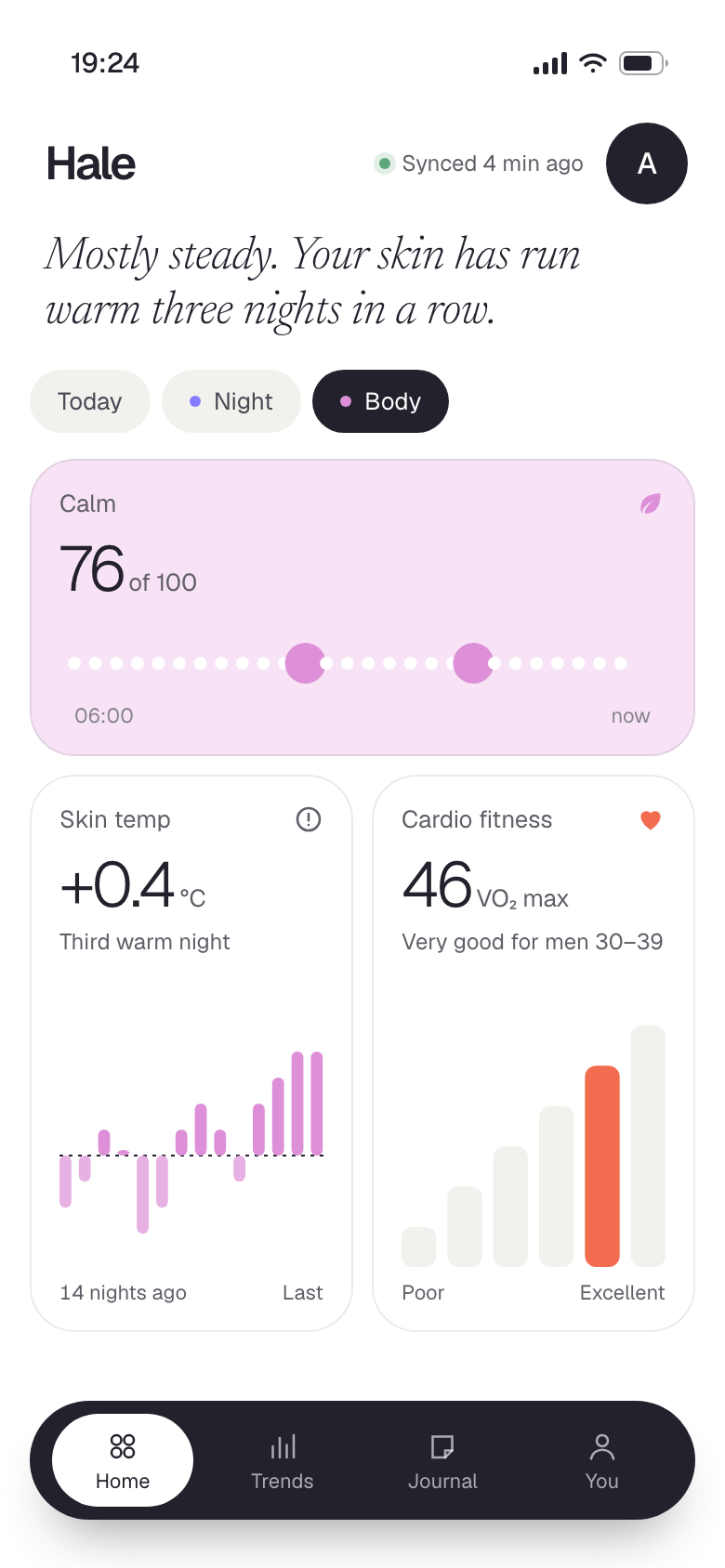
Hale: Body signals
08 · Body signals
Calm, skin temperature, cardio fitness
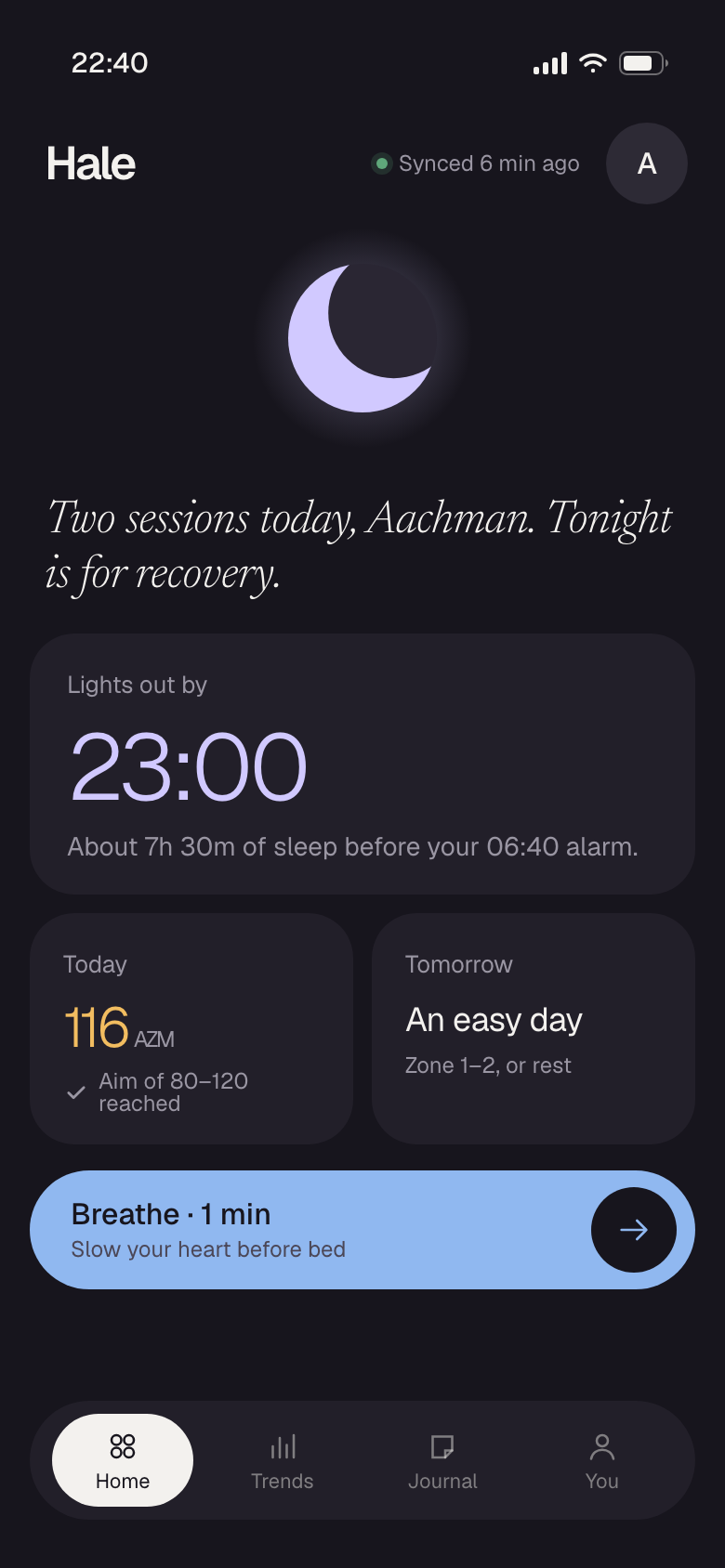
Hale: Wind-down
09 · Wind-down
22:40, night mode
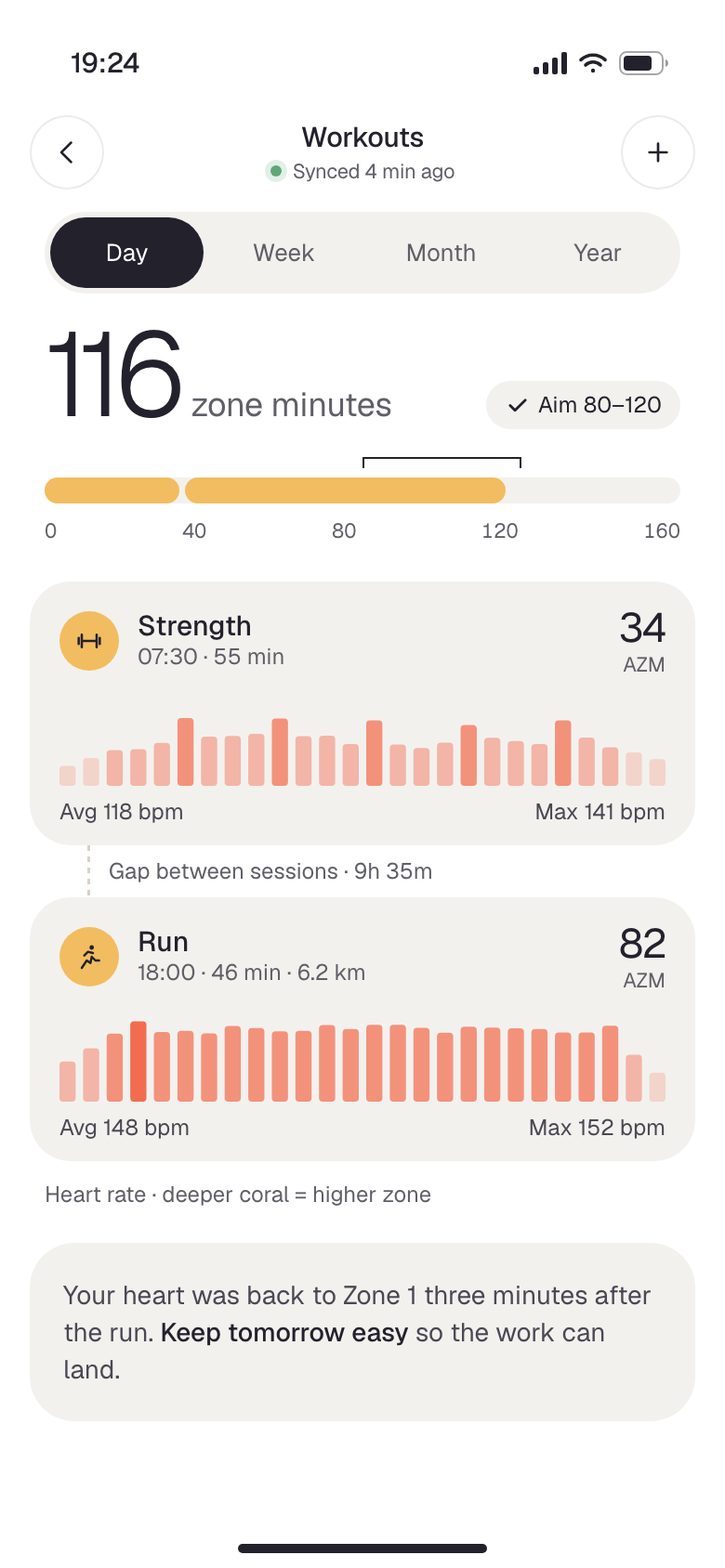
Hale: Workouts
10 · Workouts
Strength in the morning, a run in the evening

Heart and movement

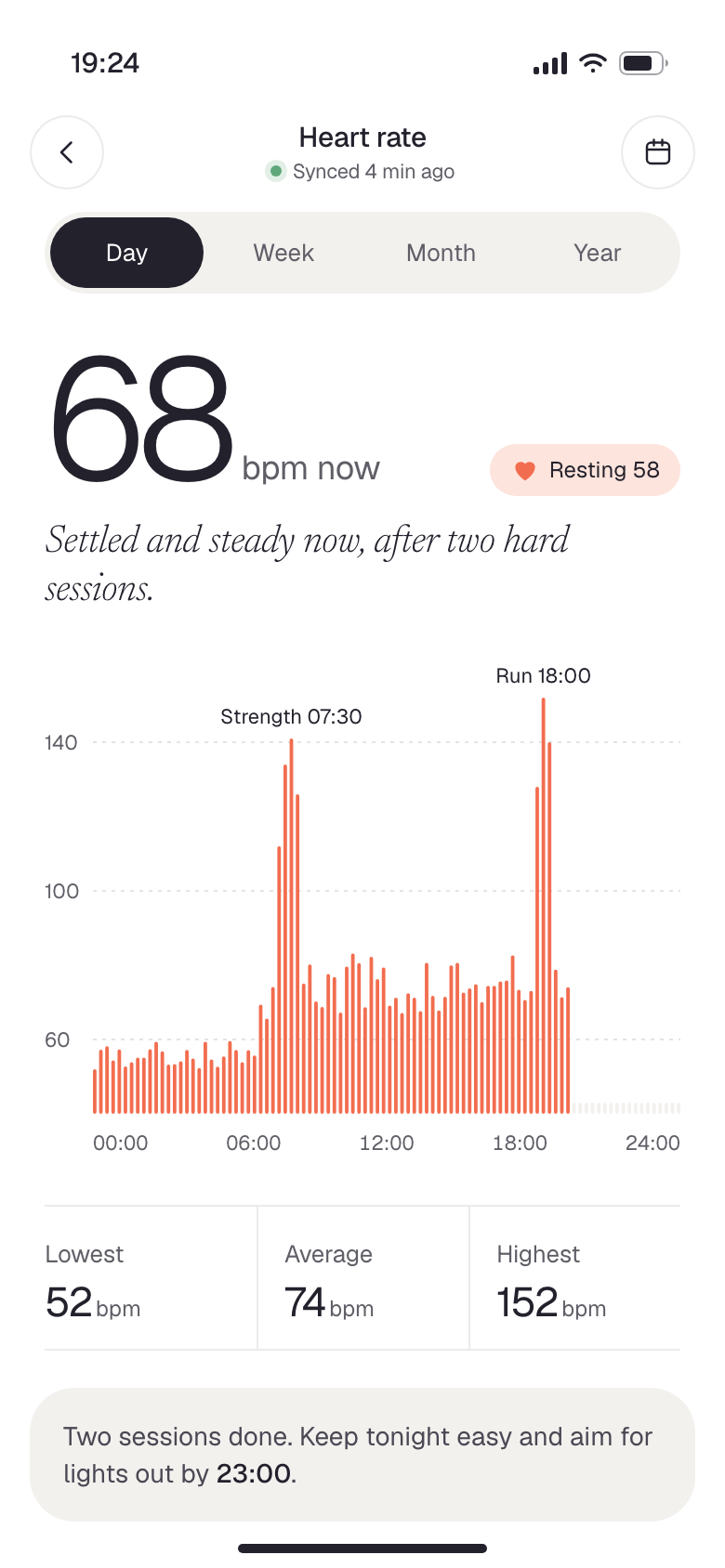
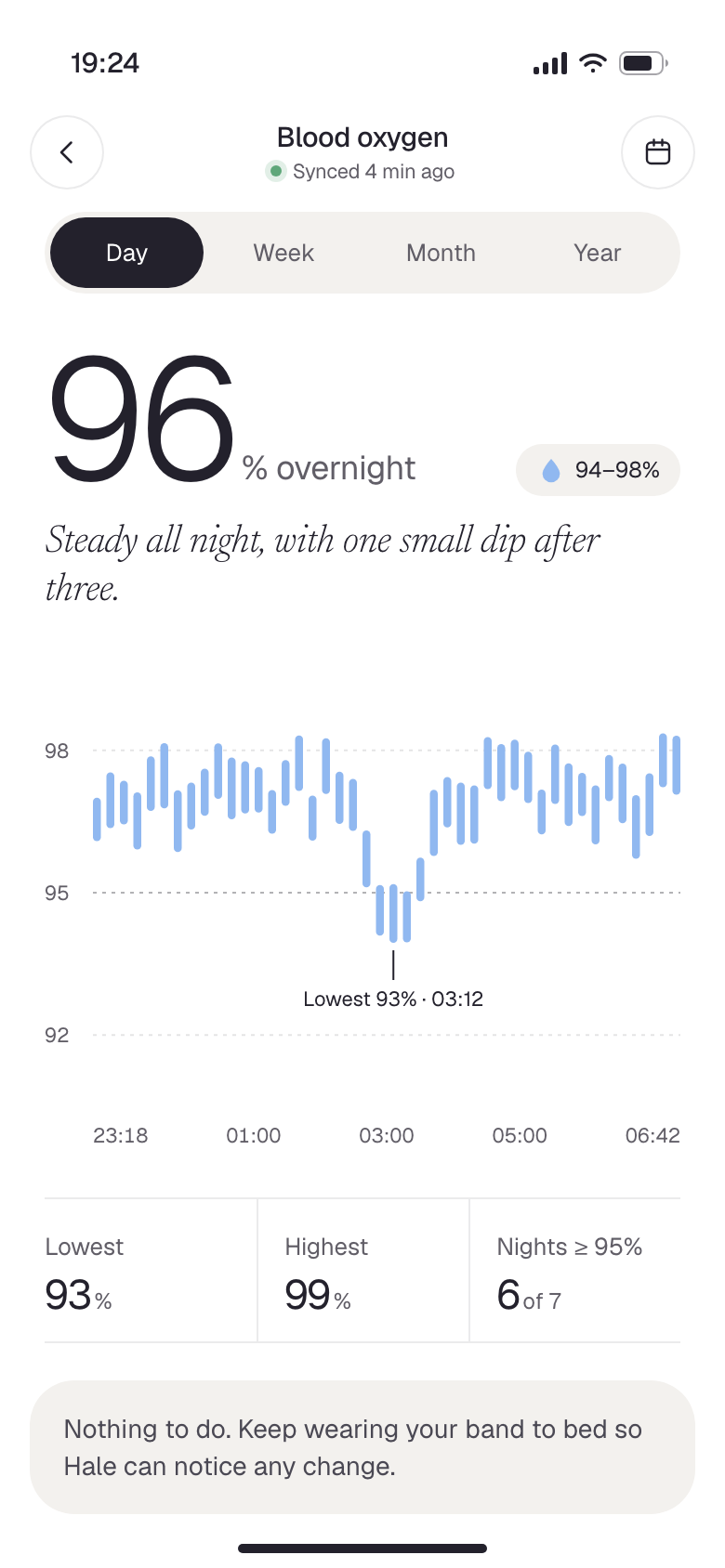
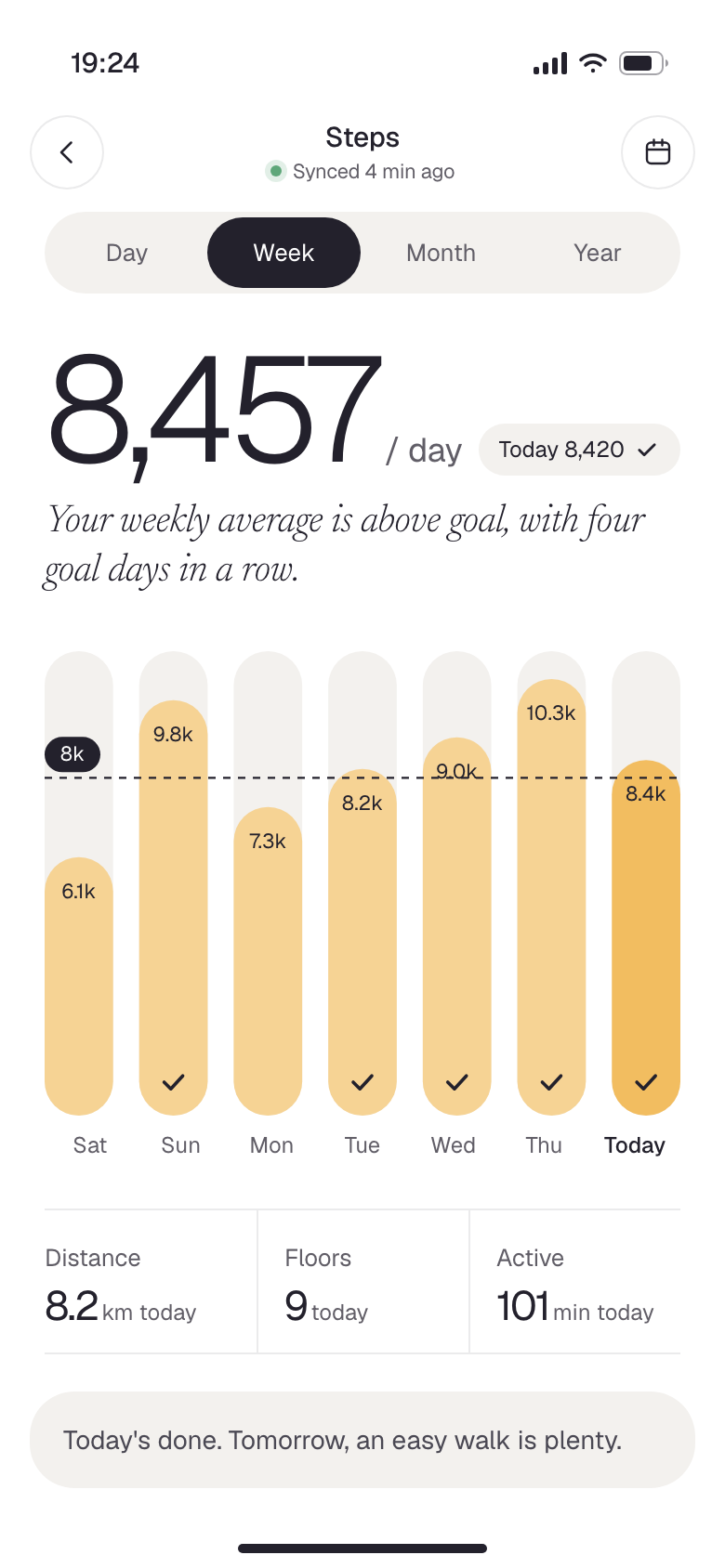
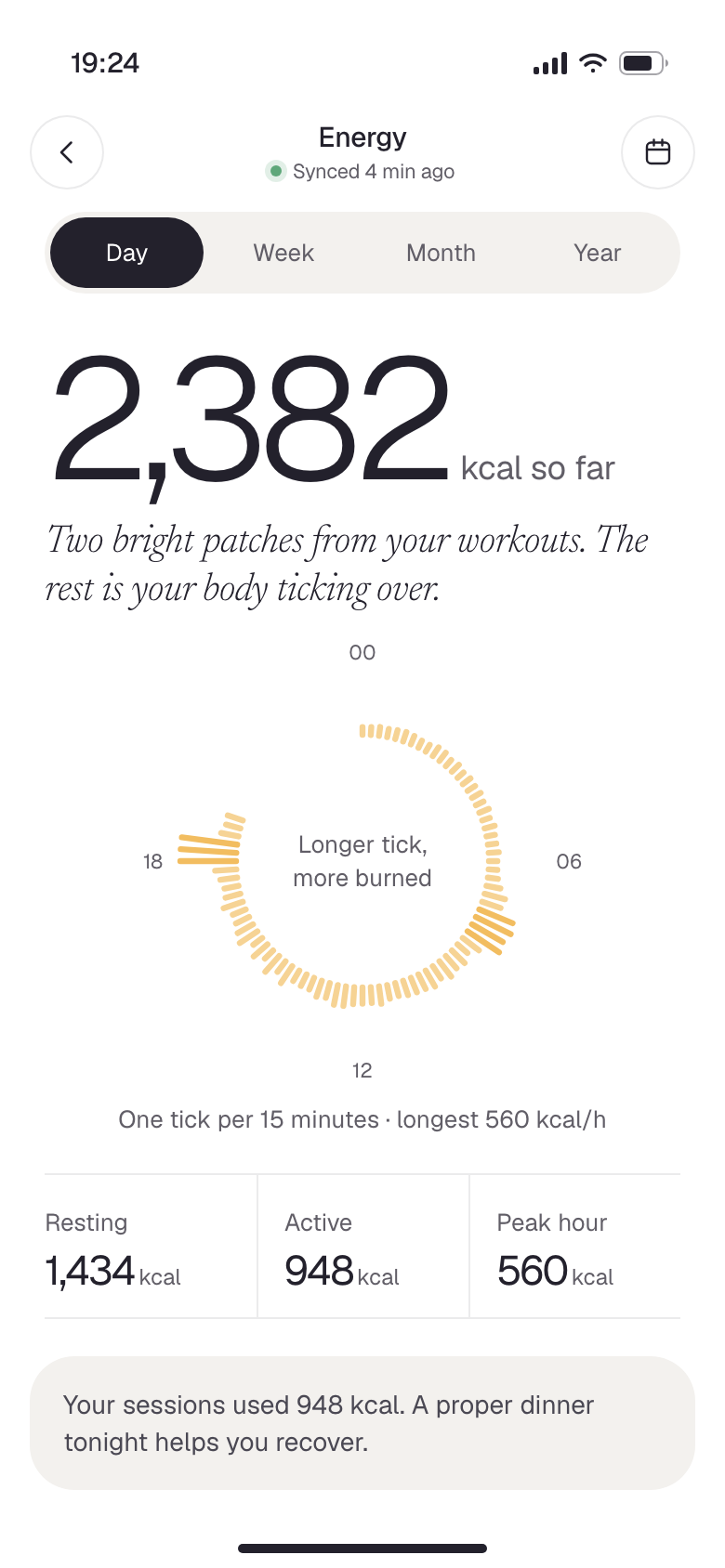
The numbers I check most. Each one gets a big number, a line in plain words, a chart and one thing to do next. The colour tells me which family I’m in before I read a word.

Hale: Heart rate
11 · Heart rate
A full day, both sessions tagged
Hale: Blood oxygen
12 · Blood oxygen
One small dip overnight, nothing to do
Hale: Steps
13 · Steps
A week of capsules, ticks on goal days
Hale: Energy
14 · Energy
A 24-hour dial of calories burned

Sleep and recovery

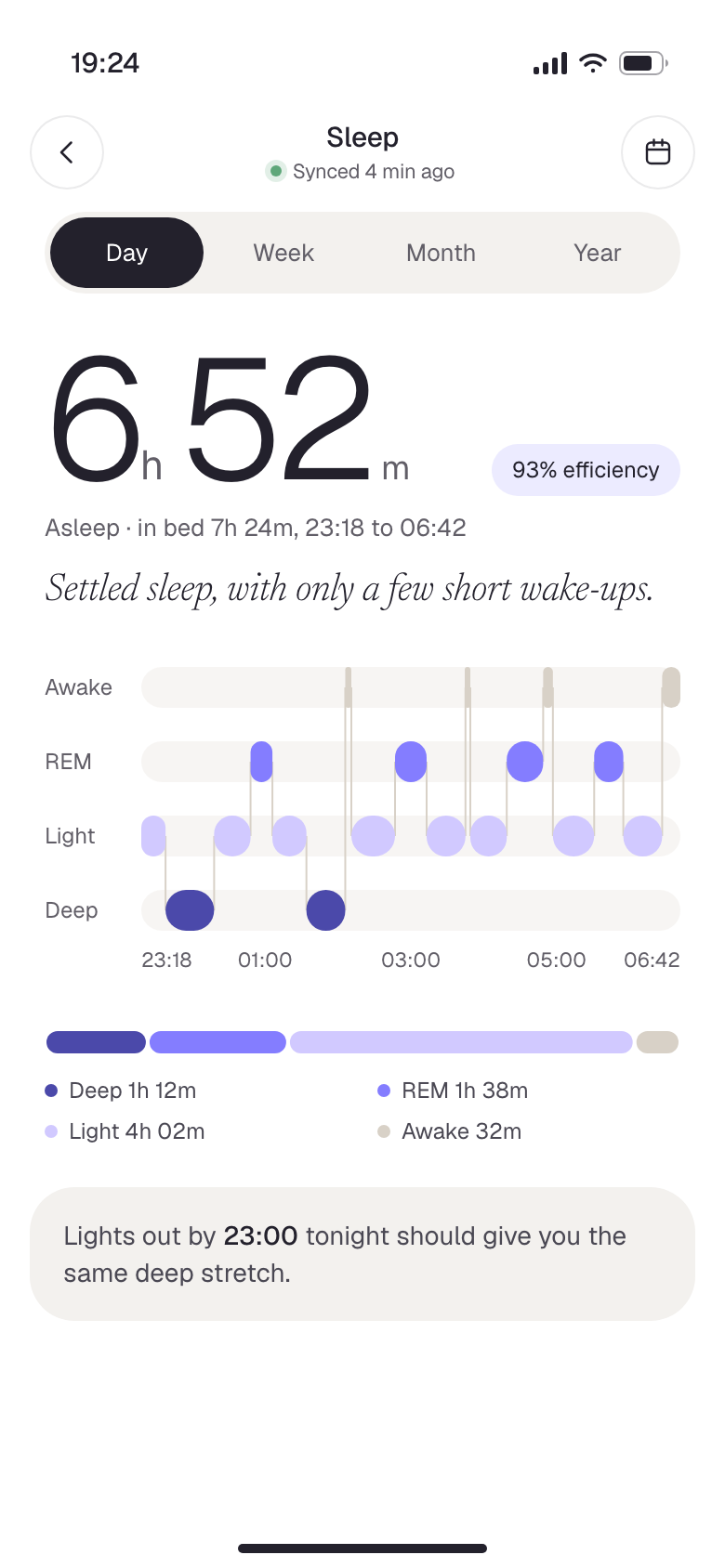
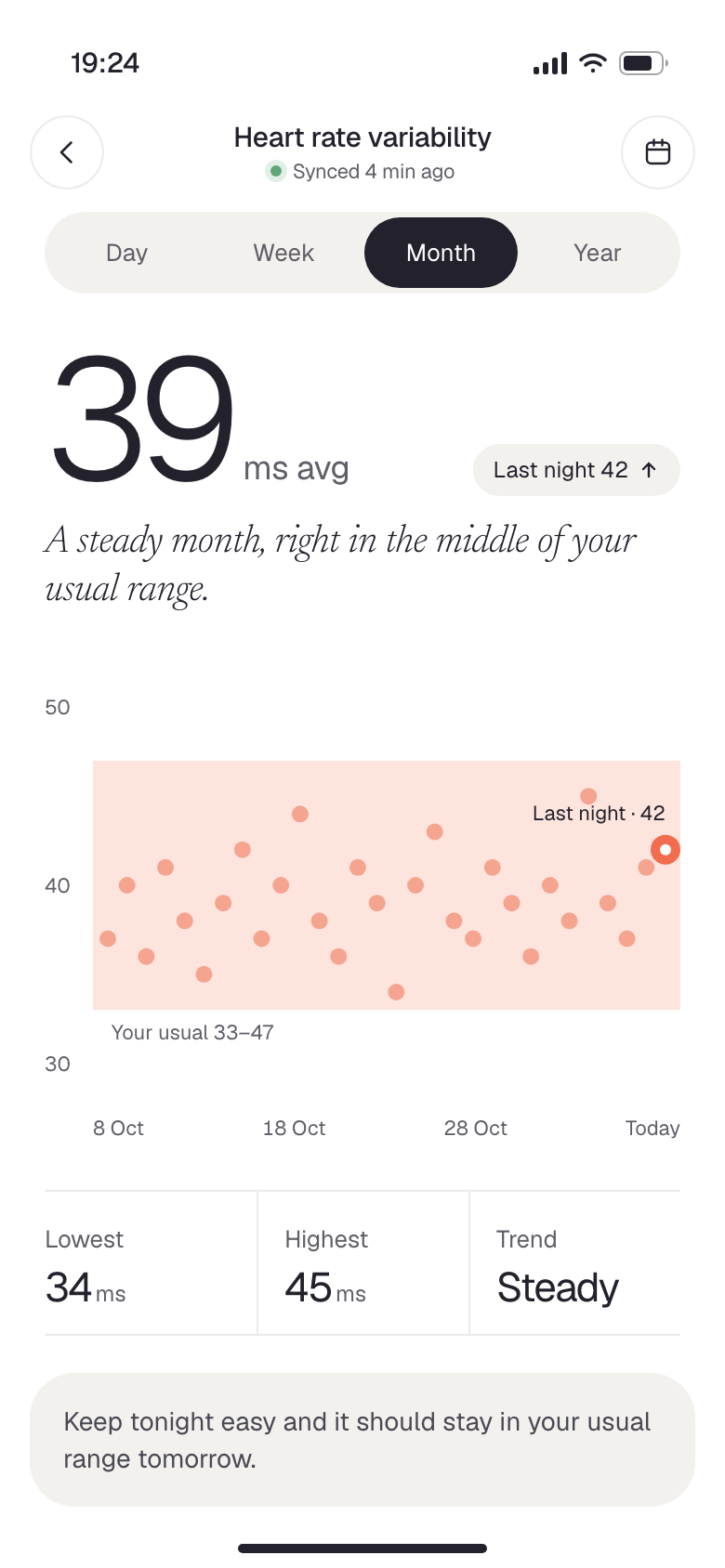
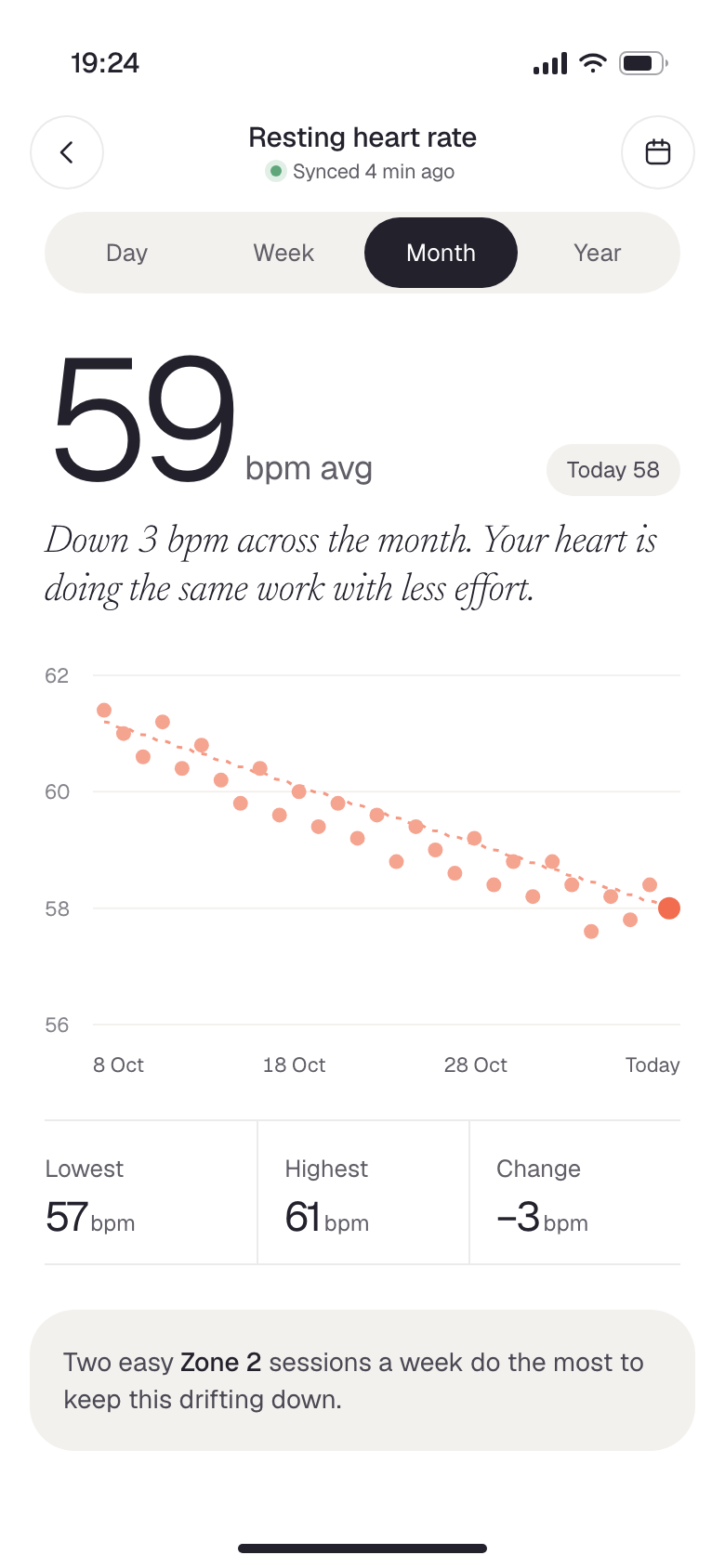
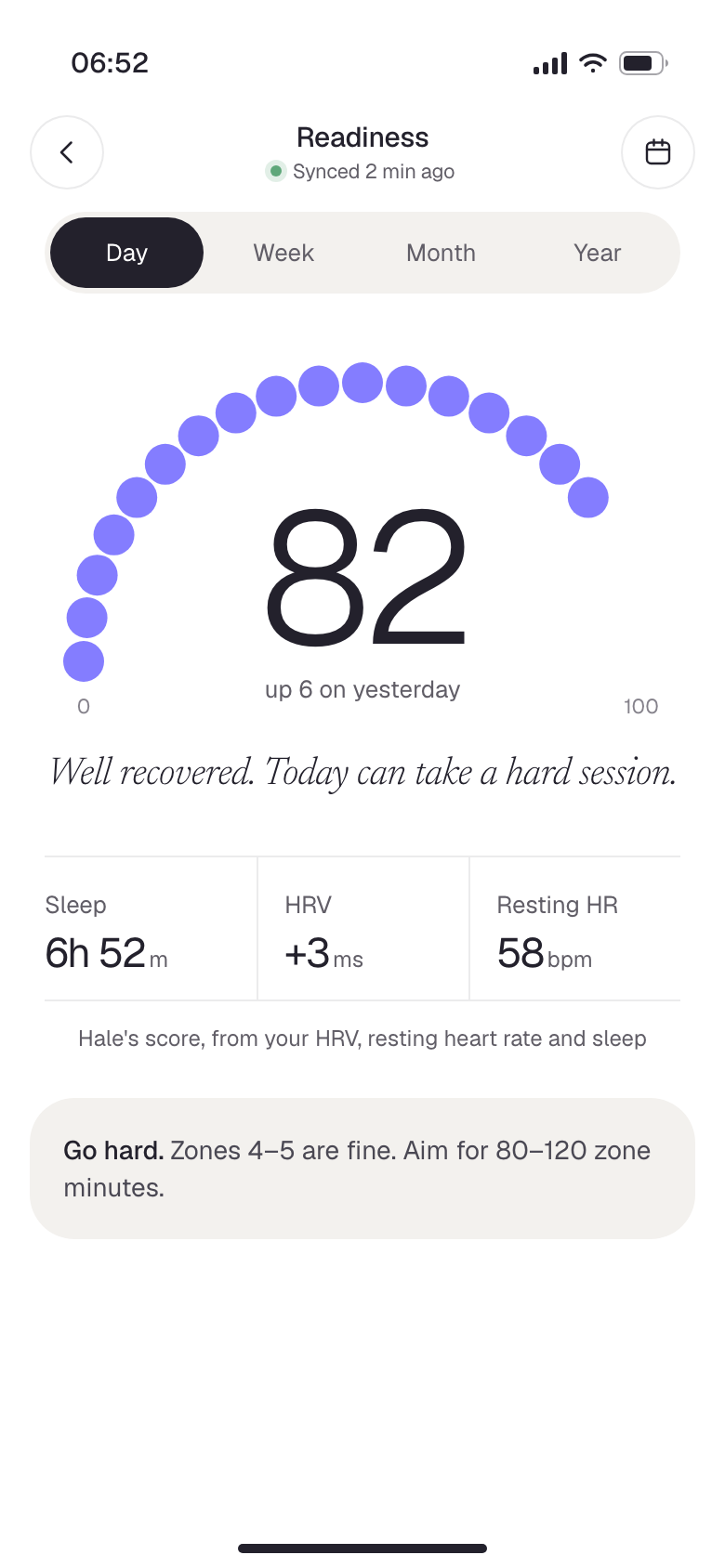
This is why the band stays on at night. Time actually asleep, not time in bed. Heart signals measured against my own range. And one readiness score that tells me whether to push or rest.

Hale: Sleep
15 · Sleep
Four lanes, true to the minute
Hale: Heart rate variability
16 · Heart rate variability
A month inside my usual range
Hale: Resting heart rate
17 · Resting heart rate
Thirty mornings, drifting down
Hale: Readiness
18 · Readiness
How hard to go today

The quieter signals

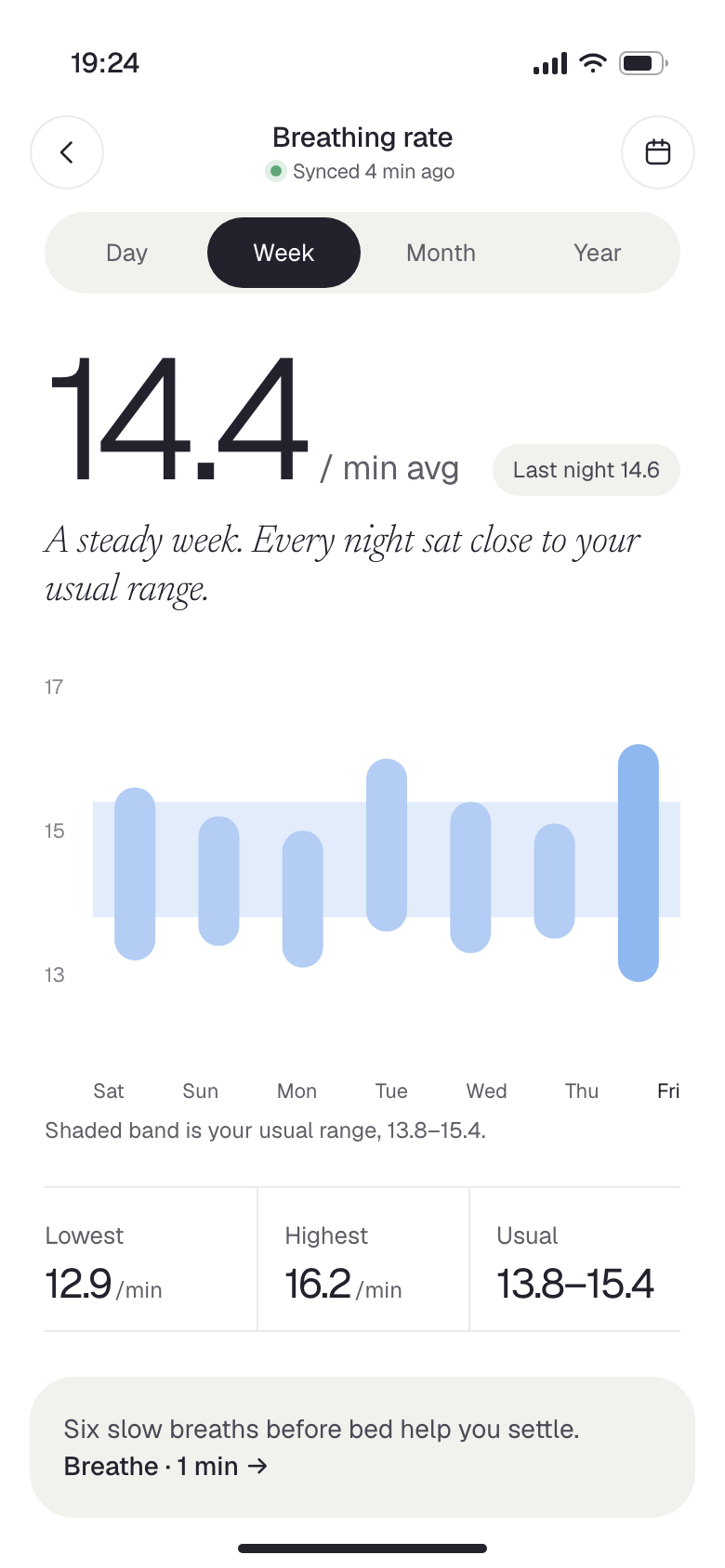
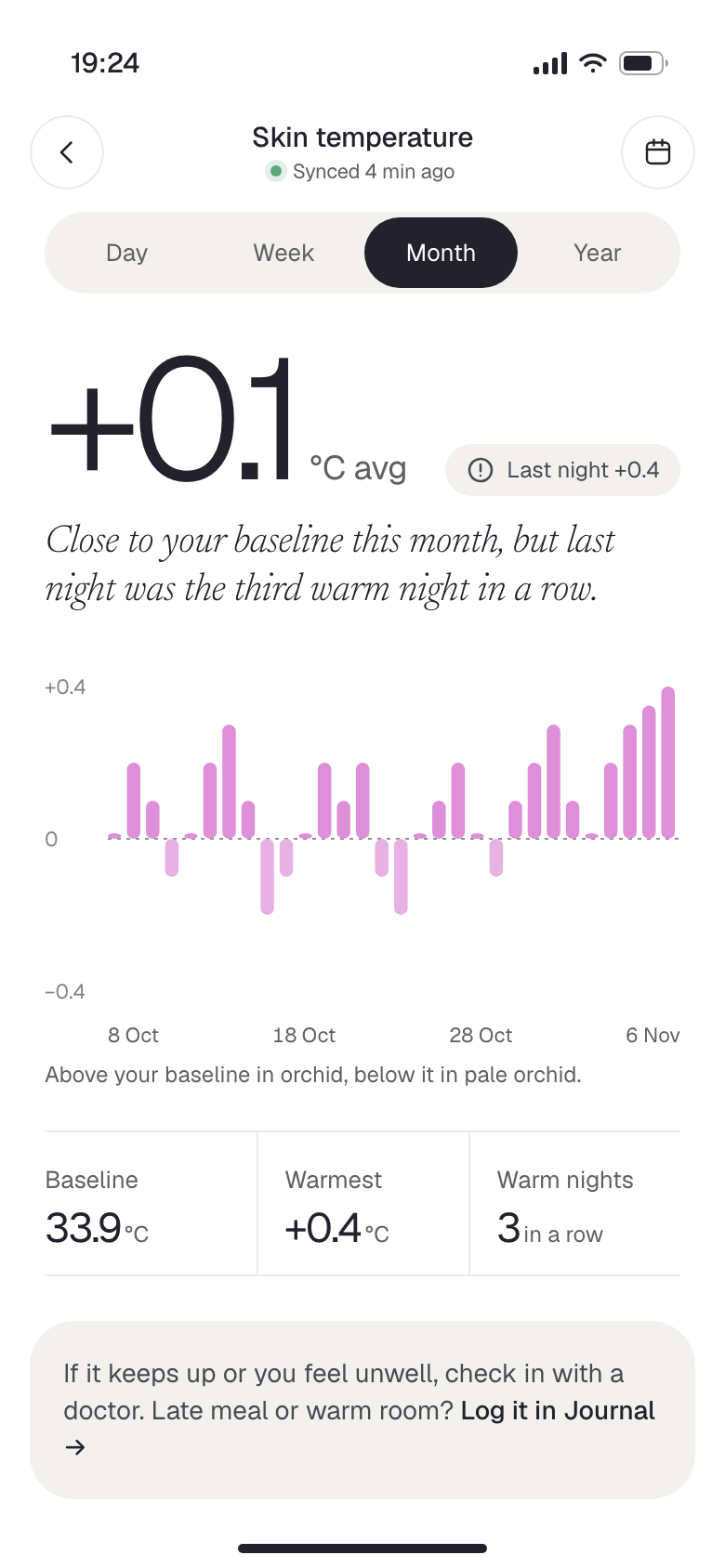
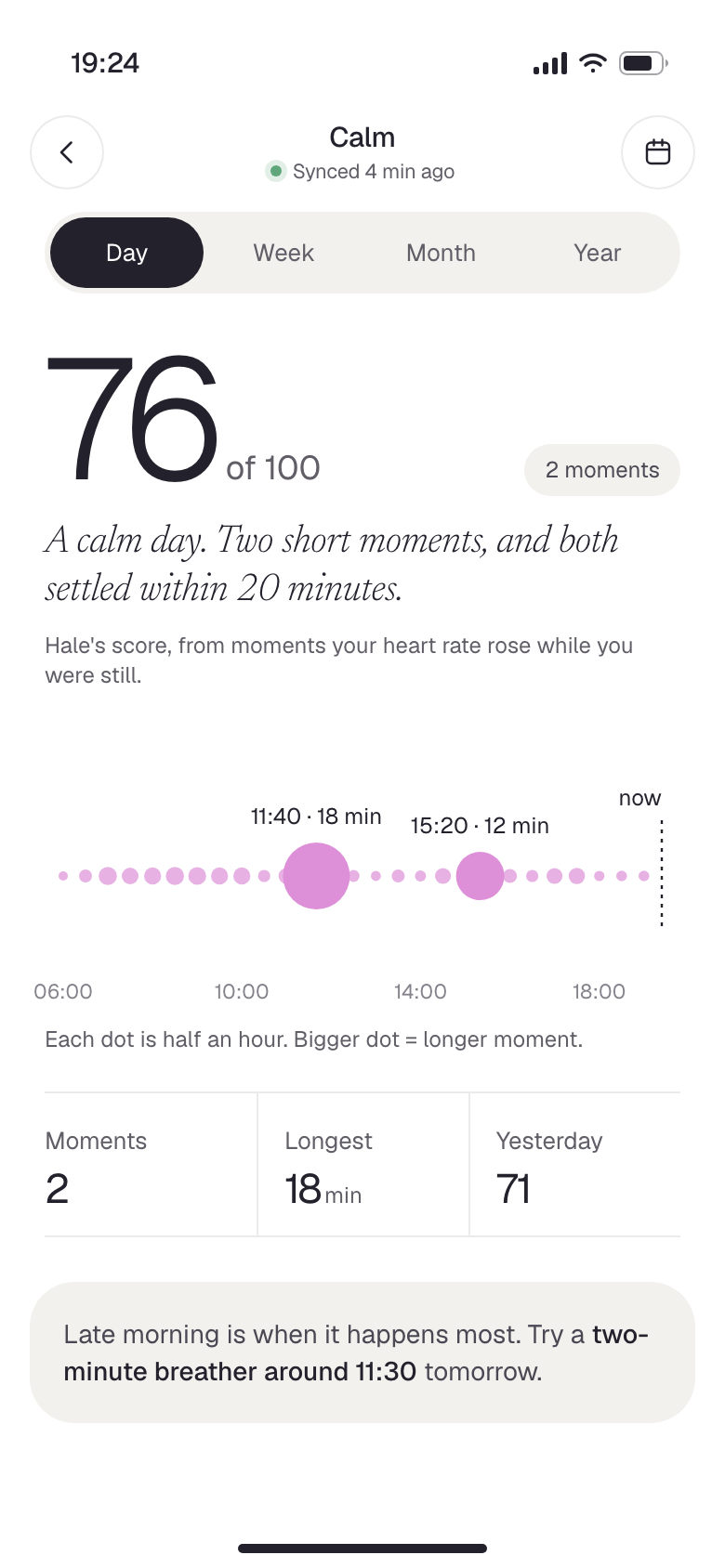
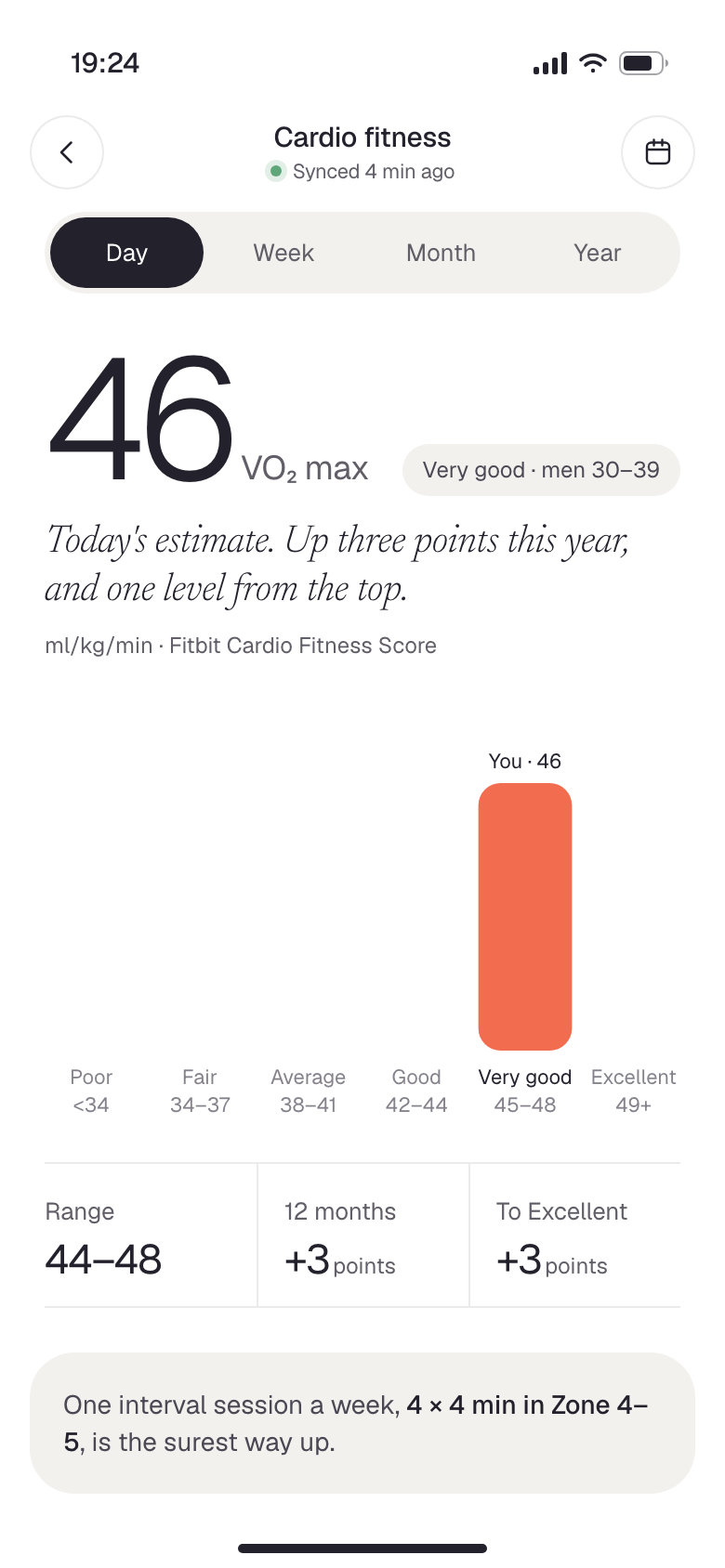
The stuff the official app buries. Hale explains each one in a sentence and is clear about which numbers come straight from Fitbit and which ones it works out itself.

Hale: Breathing rate
19 · Breathing rate
A week inside my usual band
Hale: Skin temperature
20 · Skin temperature
Above and below my baseline
Hale: Calm
21 · Calm
Moments my heart rose while I was still
Hale: Cardio fitness
22 · Cardio fitness
Where I sit, and the next step up

Patterns, and the honest bits

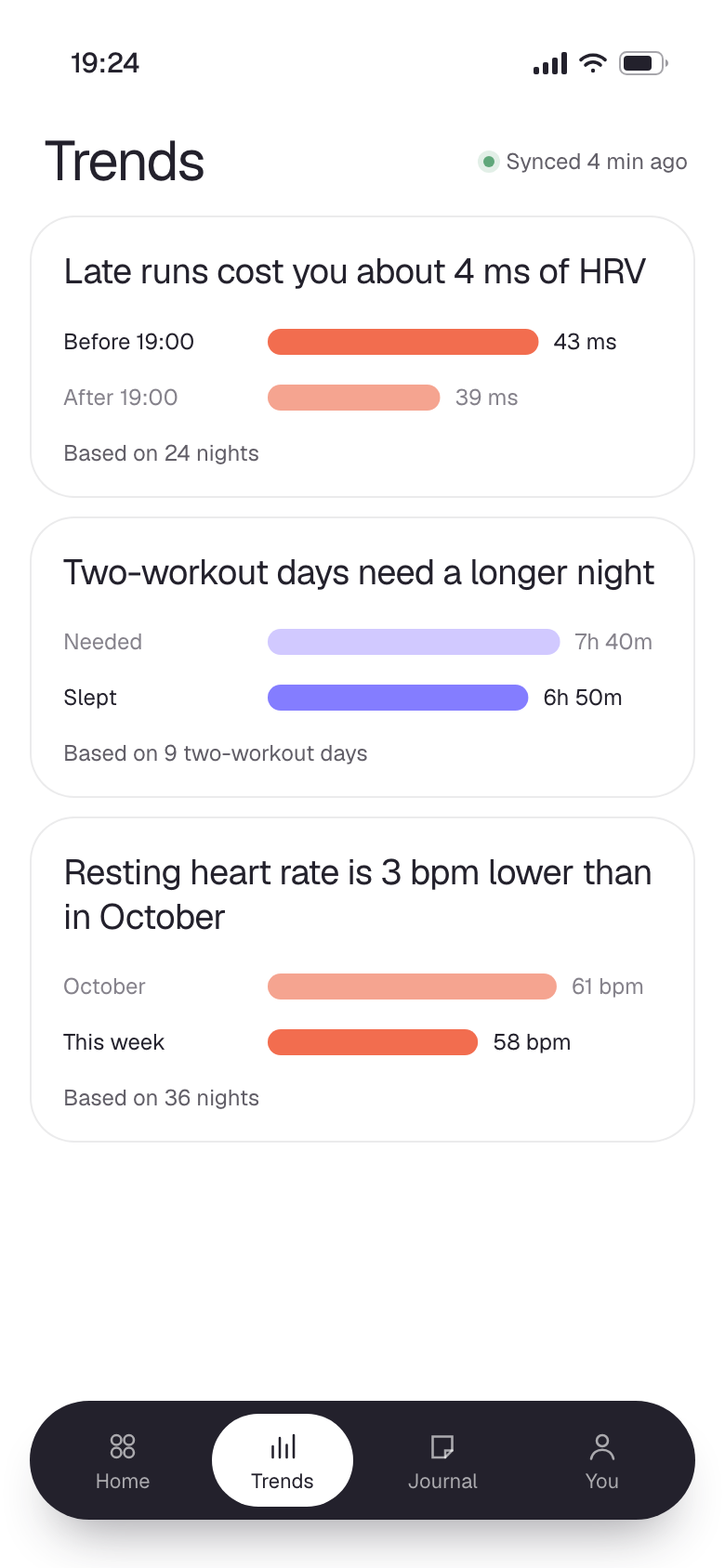
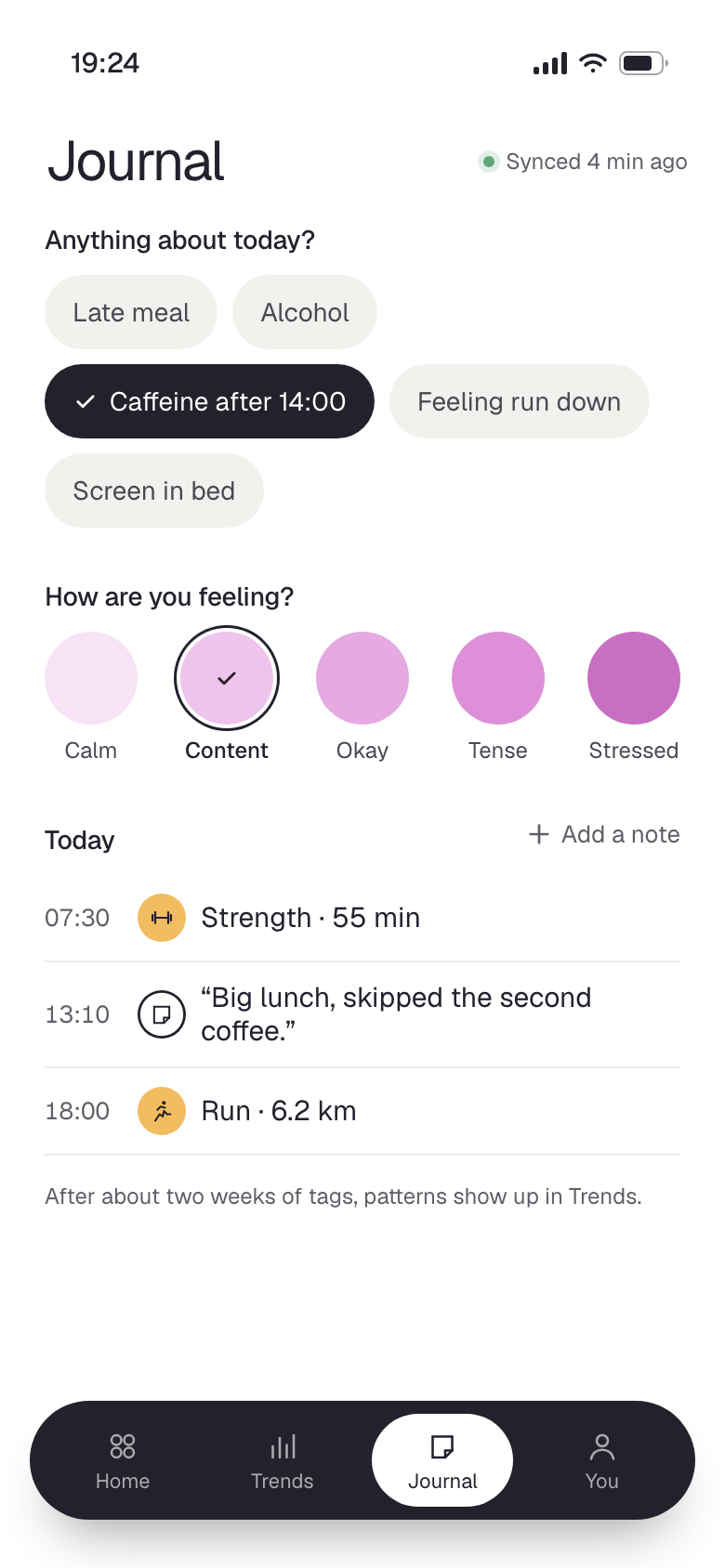
I tag my days with things like a late meal or caffeine after 14:00, and after a couple of weeks Hale shows me what actually moves my numbers. When the band hasn’t synced, it says so plainly.

Hale: Trends
23 · Trends
What actually affects my recovery
Hale: Journal
24 · Journal
Quick tags, mood and the day’s log
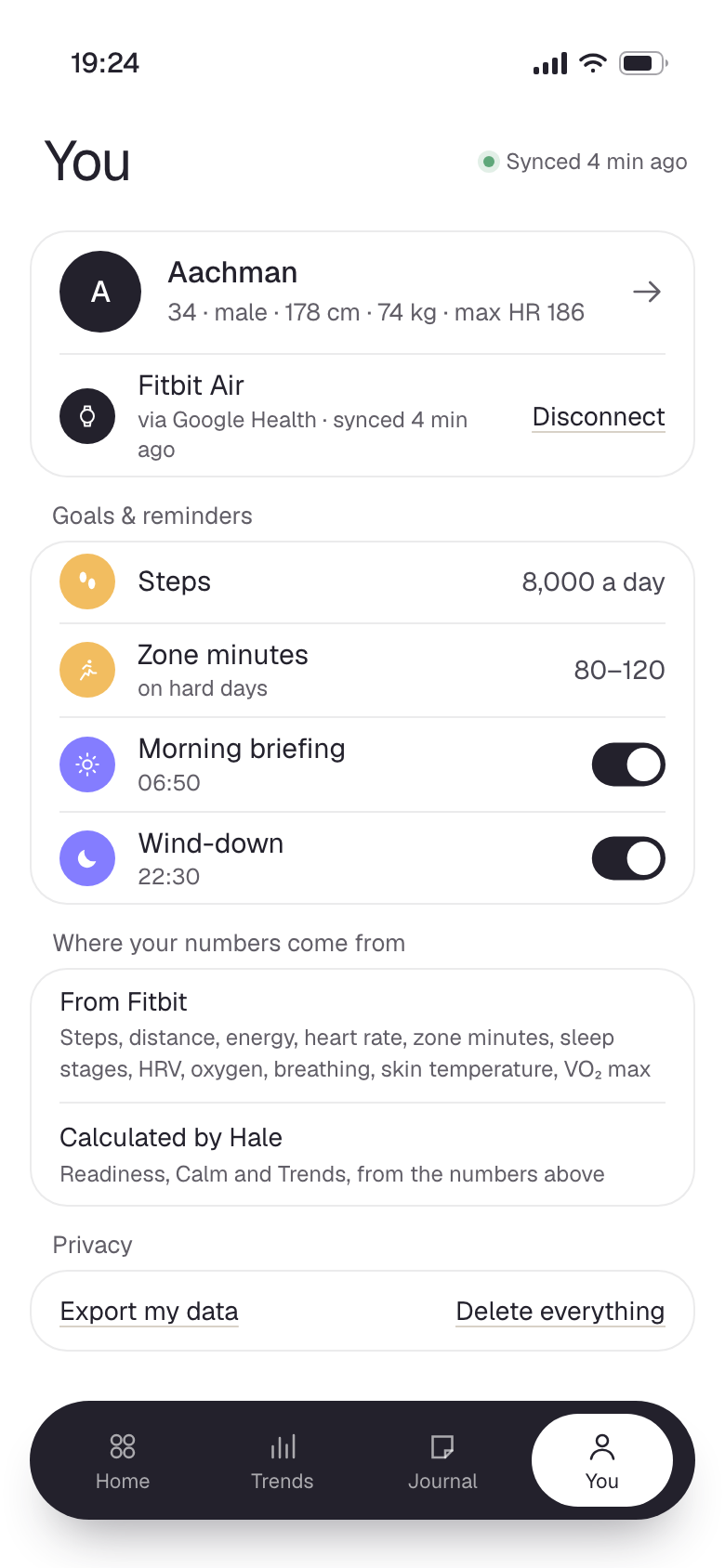
Hale: You
25 · You
Goals, data sources, privacy
Hale: When sync fails
26 · When sync fails
Old data, labelled honestly

The point

Hale isn’t a longer feature list than Google Health. It’s a shorter one. Most of my time went into deciding what not to show, and in what order the rest should arrive.

The data was never the problem. The problem was everything standing between me and it.

Next, also made for me

02

Kumo

Kumo