Context
I led the app redesign and website overhaul and am currently driving the rebrand, including the platform logo, while also shaping the brand voice and messaging for the Series A pitch.
I was asked to revamp the UX of Leadnics after customers complained about certain aspects of the mobile app. Accessing the QR, which was a repeated task, took many steps.
The app looked dated, and most of the newer iOS features were missing entirely, while competitors had already offered them.
What is Leadnics
Leadnics is an Al-powered lead-capturing and CRM solution designed for professionals attending events, trade shows, and conferences.
With Leadnics, you can effortlessly capture leads by scanning business cards, badges, or QR codes, and instantly access detailed information about your prospects.
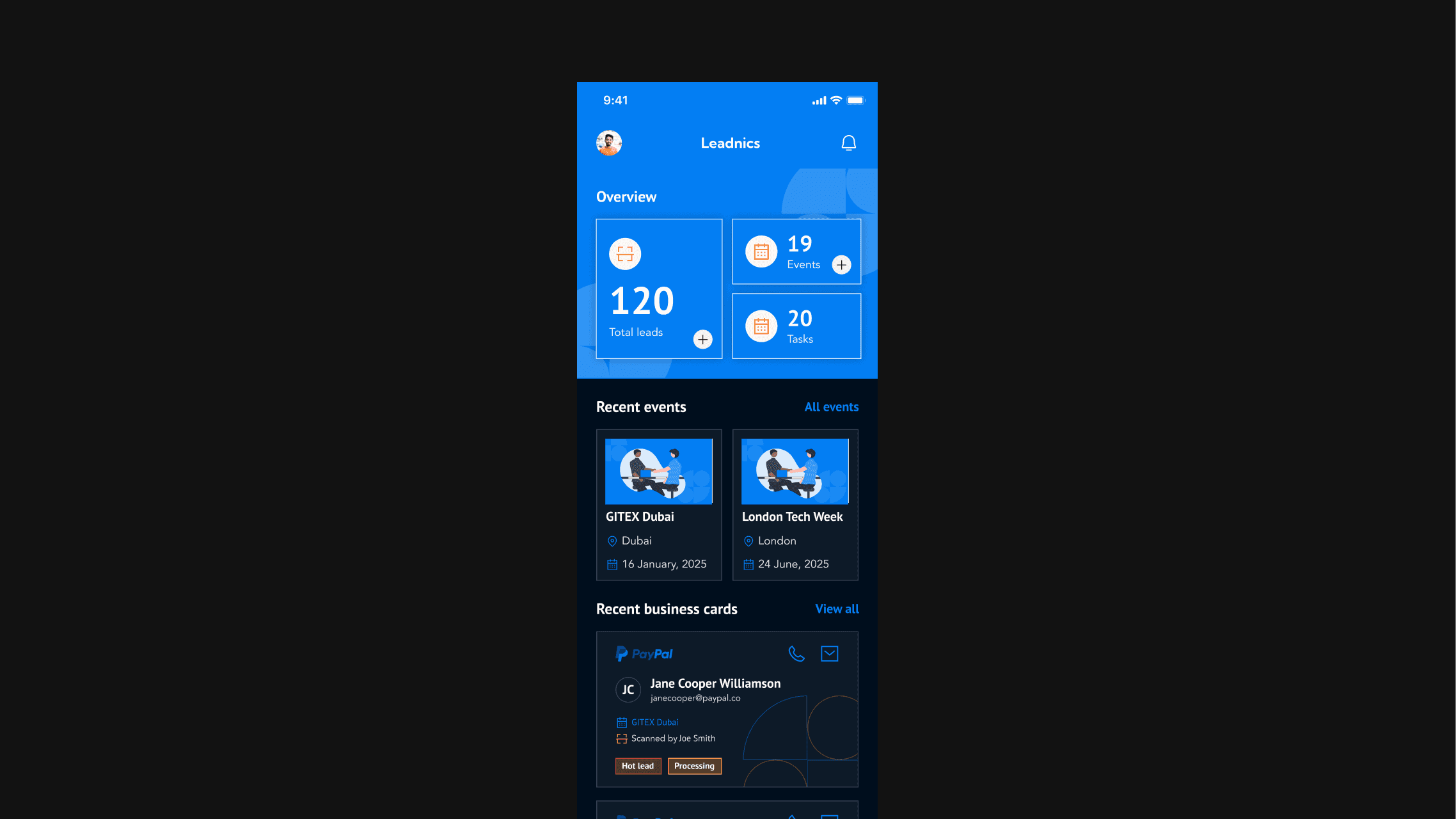
This is the older version of the app that was live on the market and we had more than a year of user feedback on it.
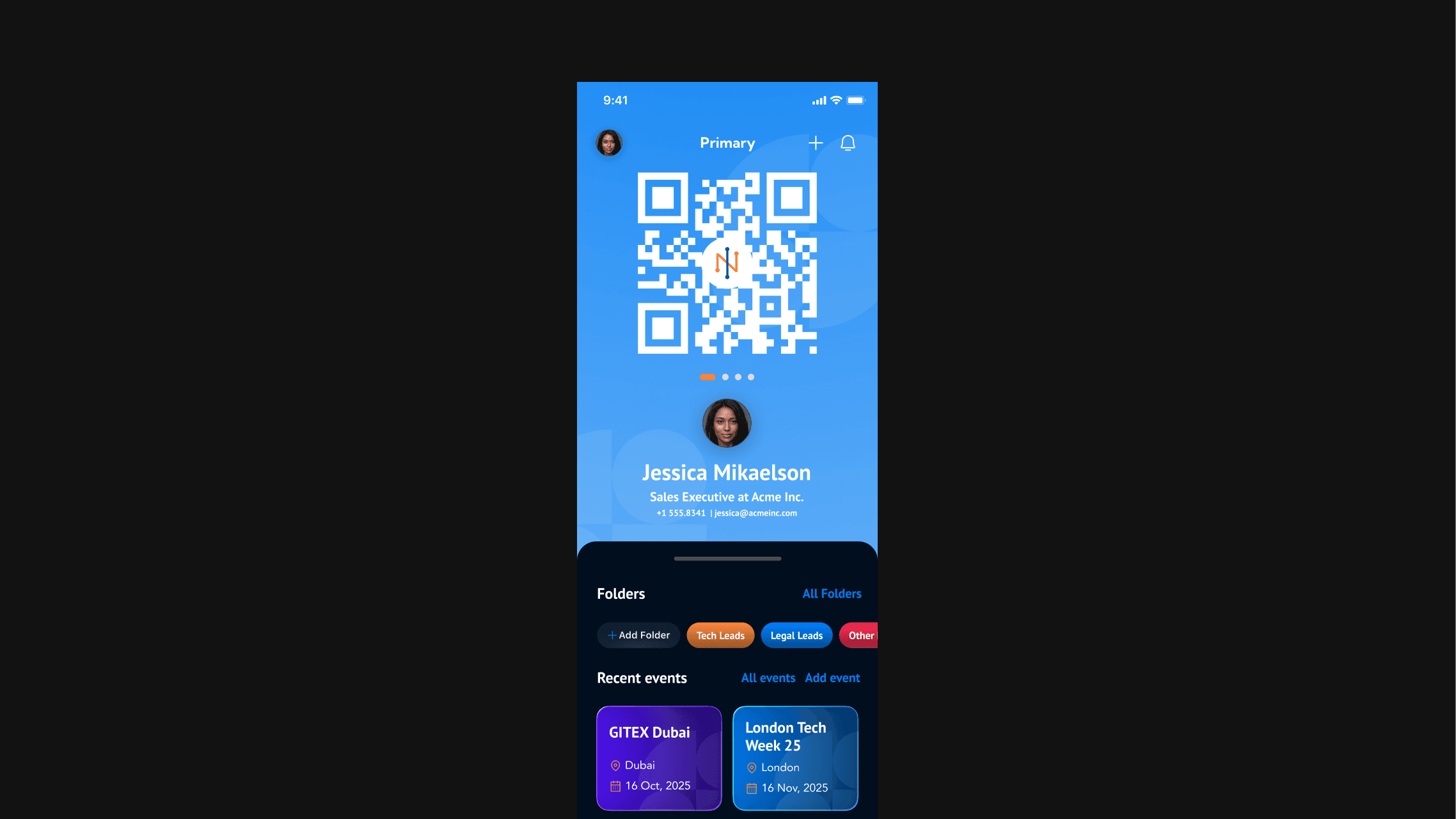
I reimagined the homescreen to immediately provide value and reduce the number of clicks required for the most common actions.
I introduced a drawer for the actions (so your leads could easily be tucked away from sight, you know in case you were showing your QR to a rival sales team) while the screen featured a prominent QR code with the leadnics branding serving as a quick and easy access business card that could be scanned by others at any sales event.
I also added a feature to create multiple cards and swipe through them easily so you can control what information you share with others better.
Another user complaint was the long list of leads they had after events, making the home page feel like an endless scroll. There was no way to sort and filter it easily. I fixed that by introducing the automated folders, a search feature for the leads and automatically sorting the leads by hot, warm, and cold.
This ensures everything is manageable even after a high volume sales event
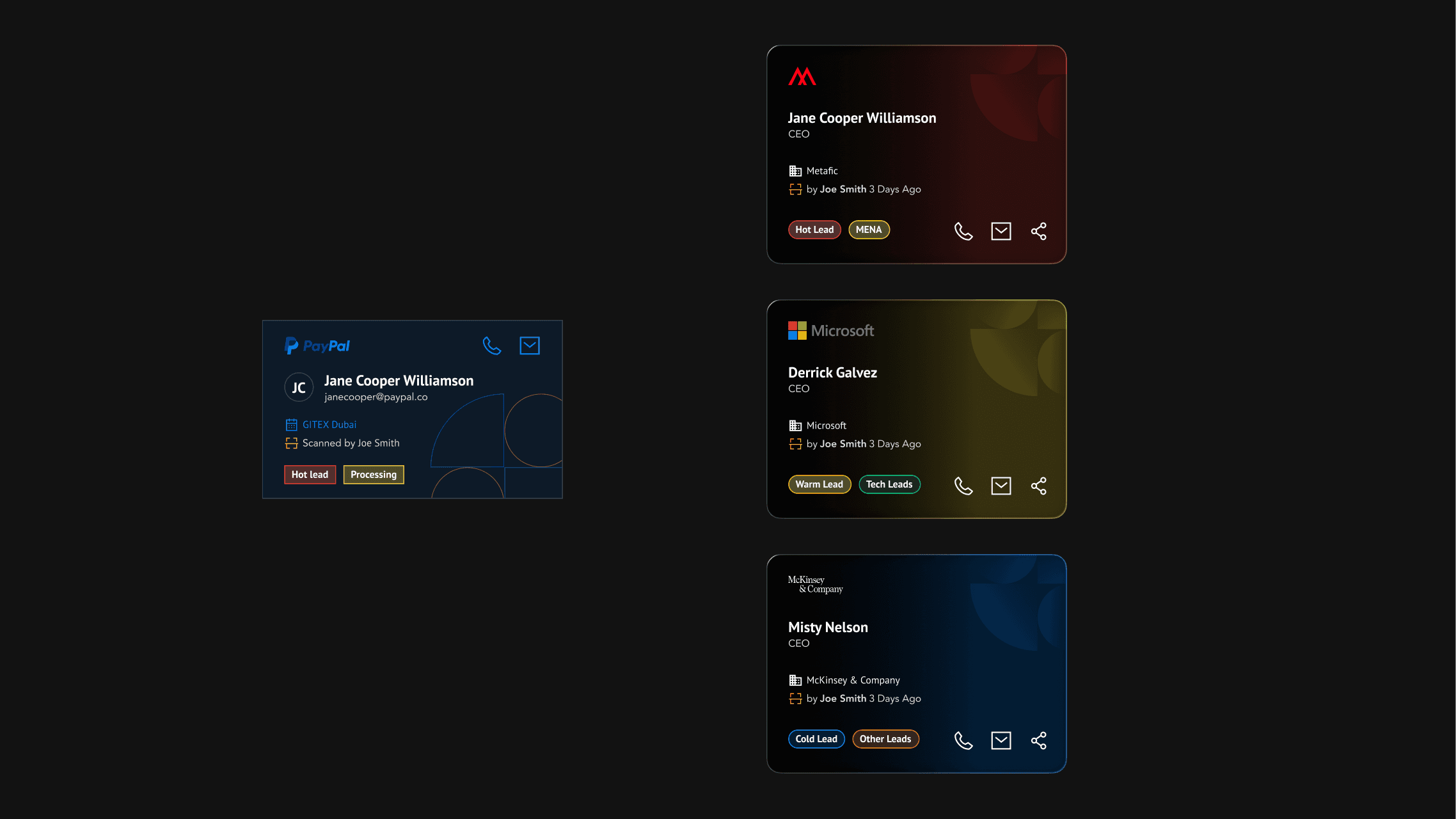
I revamped the lead cards to make them easier to scan and faster to act on. I stripped out visual clutter and made sure the important information shows up immediately.
I also introduced color as an easy visual cue. Hot leads are red, warm leads are yellow, and cold leads are blue. So the user can understand priority without reading labels or thinking about it.
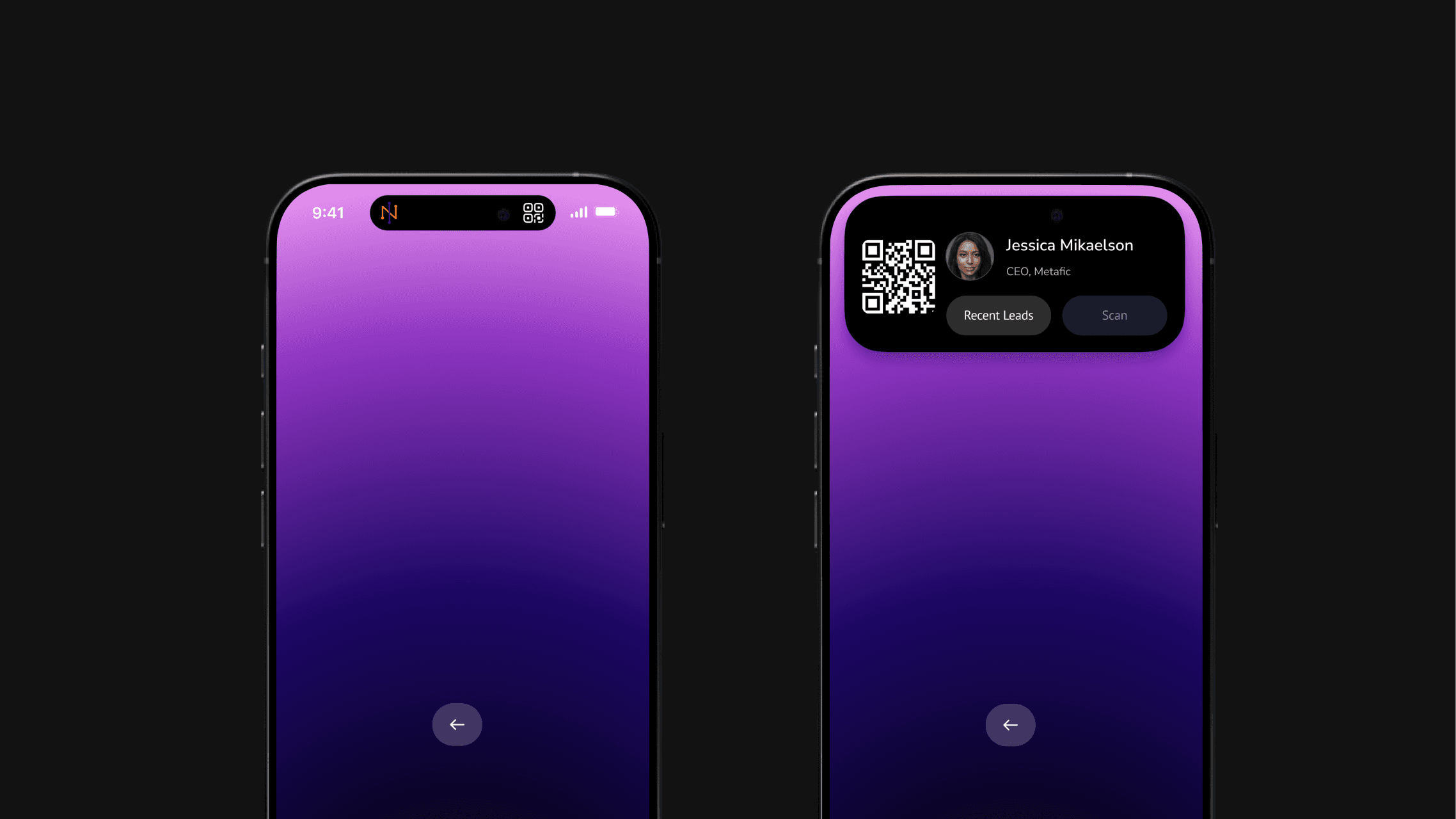
I used the Dynamic Island to make the fastest actions always available without taking over the screen.
From the Dynamic Island, you can instantly do two things: show your card or jump straight into the scanner to scan someone else’s card without chaning screens or clicking any other buttons. It keeps the interaction lightweight and situational, which matters when you’re mid-conversation at an event.
This way, sharing your details and capturing someone else’s happens in the same flow, with almost zero friction.
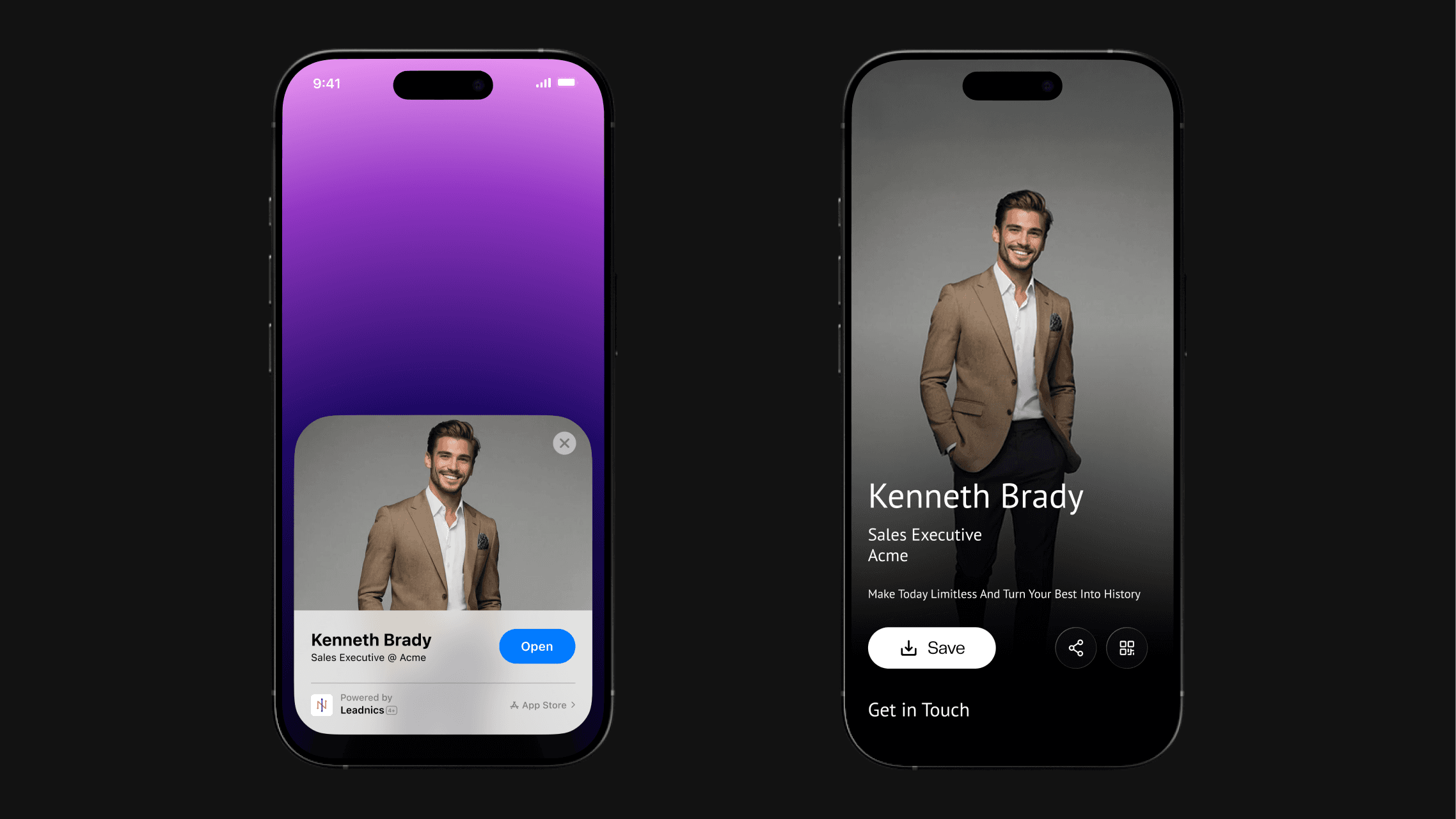
I also implemented App Clips and designed the entire experience around speed and context. You already know most people you meet don’t want to download an app just to save your details, its too much hassle, and moreso at a faster paced sales event.
With the App Clips feature, someone can scan your card and instantly view your profile, save your contact, or share it further without installing anything at all. This removes friction at the exact moment an interaction happens, which is when drop-off is usually the highest.
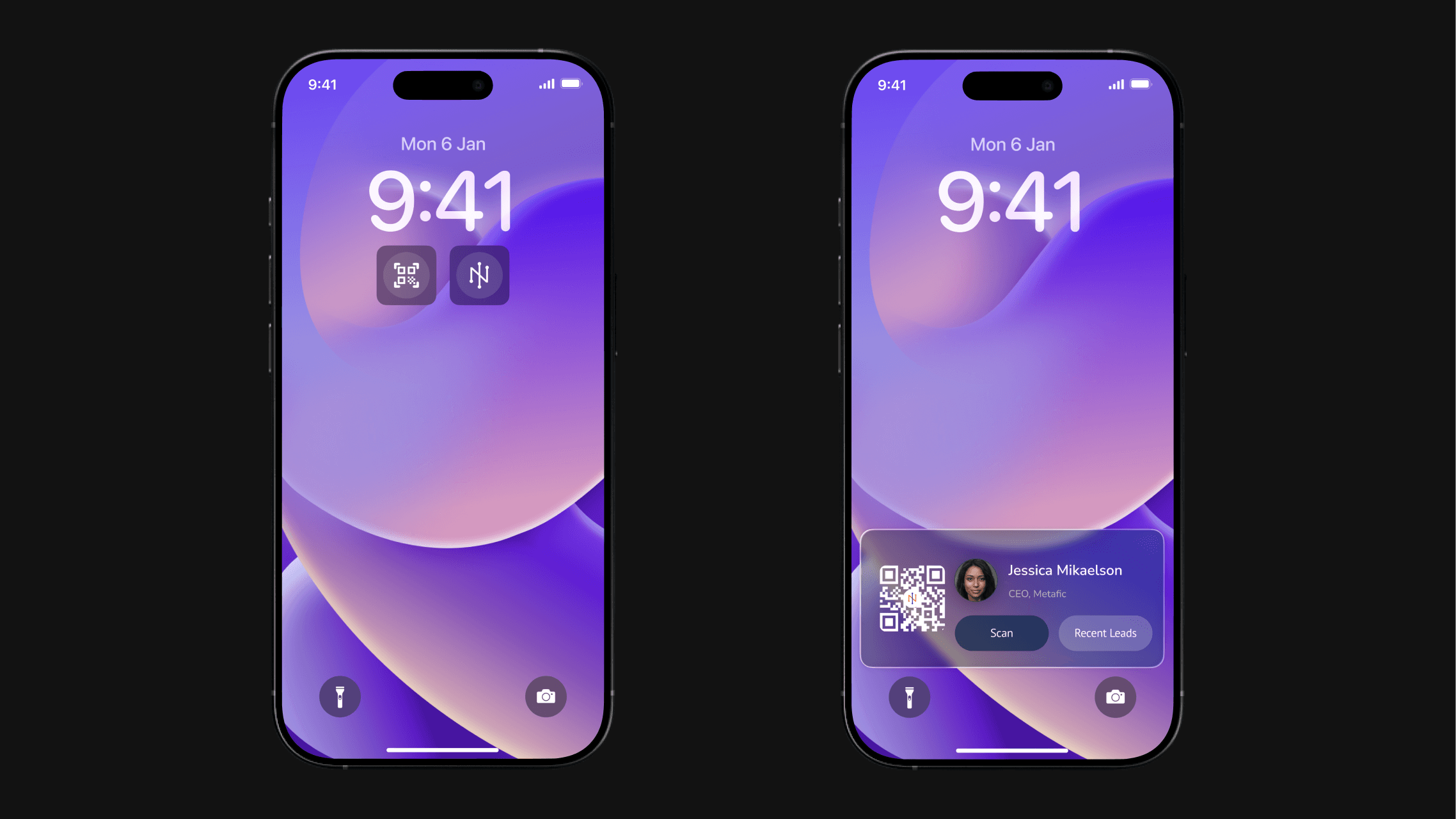
I also worked on the on-screen widgets to extend the product beyond the app itself.
The widgets let users surface their QR code, jump straight into scanning, or access recent leads directly from the lock screen or home screen. It turns Leadnics into something that’s always one interaction away, especially useful during events where every second counts.
I treated the widgets as part of the core experience, not an add-on. The design prioritizes the two actions users perform most in real life: sharing their card and capturing someone else’s.
Next work

The time for me is
Copyright © 2026. All Rights Reserved
The world is yours